Mobile Device Management
Look2MDM turns Android tablets into secure, remotely managed kiosks for museums, attractions, exhibitions, and public venues. Deploy an application from a software partner or your own custom APK, keep tablets up to date and lock the application in Kiosk mode.
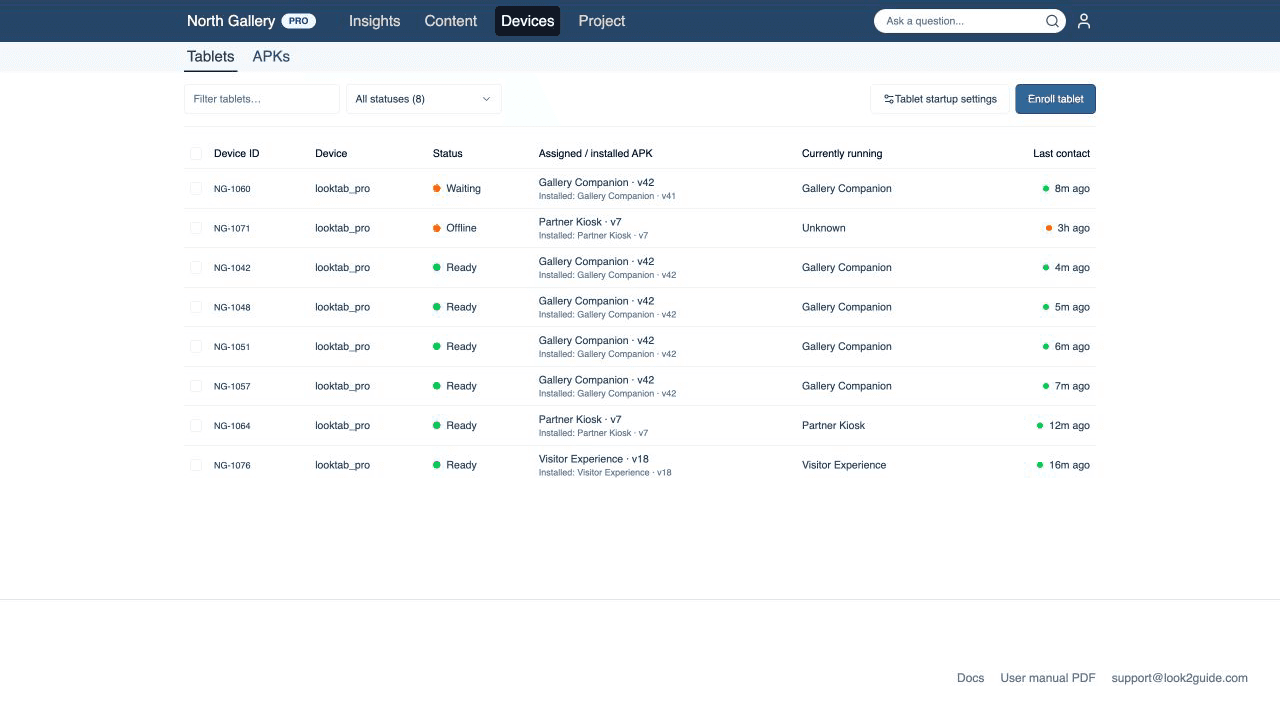
Online fleet management
See which tablets are ready, waiting for a change, or offline. Check the assigned and installed APK, the app currently running, and the last successful contact without handling the device.
Built for partner and custom APKs
Upload any compatible Android APK from your software partner or development team. Keep versions and package details organized, choose the default for newly enrolled tablets, and see how many devices have received each release.
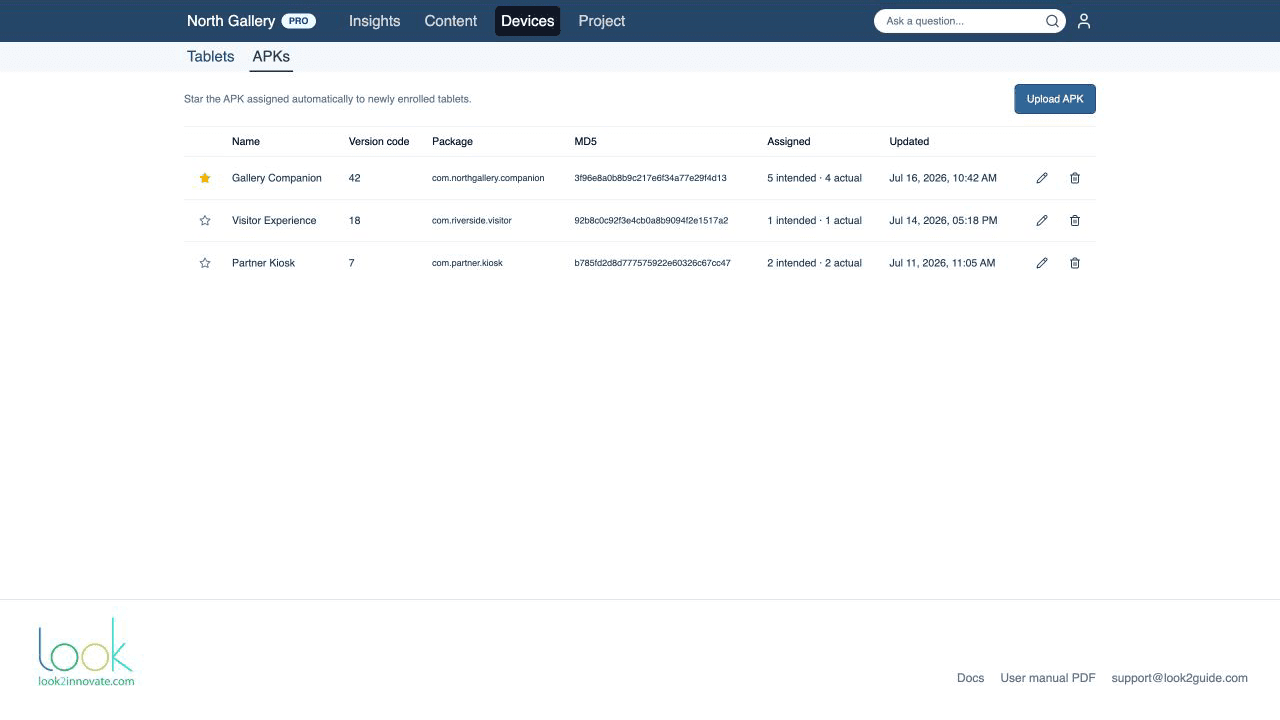
Silent, controlled application rollouts
Assign an APK to one tablet or a selected group. Look2MDM downloads and installs it in the background, verifies the package, version, and file hash, reports errors, and confirms the version actually installed.
Kiosk mode
Keep visitors in the intended app with Android device-owner kiosk controls. Look2MDM reconciles the desired state at every heartbeat, can relaunch the assigned app, and gives staff a controlled way to pause or recover kiosk mode.
Tech Specs
Software
- Android Enterprise device-owner enrollment using a QR code
- Project-level tablet management designed for venue and operations teams
- Clear Ready, Waiting, Needs attention, Offline, and Not set up states
- Live battery, charging, network, Wi-Fi, volume, brightness, screen, Bluetooth, storage, temperature, and running-app status
- Upload and manage APKs supplied by a partner or your own development team
- Track APK name, Android version code, package name, file hash, assigned count, and installed count
- Choose a default APK for newly enrolled tablets
- Assign or unassign an APK for one tablet or a selected group
- Silent application installation and updates with package, version, and hash verification
- Installed-versus-assigned version reporting with actionable installation errors
- Managed kiosk mode with status-bar, keyguard, Home, and power-menu restrictions
- Automatic relaunch and keep-running behavior for the assigned visitor application
- Bulk kiosk on or off, restart, factory reset, and volume controls
- Remote Wi-Fi network addition and removal
- Per-project startup settings for default volume, brightness, automatic brightness, Bluetooth, notification sound, screen timeout, Wi-Fi, and charger-removal behavior
- Device detail view with readiness guidance, recent actions, and recovery controls
- Secure token-based heartbeats and auditable management actions
- Managed Look2MDM self-updates with safe version checks
- Offline-safe desired state: settings and assignments apply when the tablet reconnects
- Compatible with Look3 tablets