Solutions

Audio guide triggering modes

Choose how visitors, locations or guides start each audio guide stop.

Girl using Buzz & Play to start an audio guide

Compare the manual, automatic and guide-controlled triggering modes available across Look2Innovate audio guides and tablets.

Look2Innovate
Triggering modes

Visitor-selected triggers

The visitor makes a deliberate selection. These modes are easy to understand, reduce false starts and provide a dependable fallback.

Manual number or keypad

Manual number or keypad

Visitors enter the number shown beside an object. It is simple, robust and works without installed trigger infrastructure.

Best for: Permanent galleries, visible stop numbers and a universal fallback

How it works

Each stop number is mapped to an audio track in Look2Guide and loaded onto the device. The visitor types the number printed beside the object, and the device plays the matching track from local storage. No beacon, transmitter or network is needed in the gallery. Staff only need to keep the printed number and content mapping aligned.

NFC or RFID tap

NFC or RFID tap

A close tap or very short-range tag interaction selects the object precisely and intentionally.

Best for: Dense object displays and deliberate close-range selection

How it works

The device reads an identifier when it is brought very close to an NFC or RFID tag, then maps that identifier to the correct content. The short interaction makes the visitor's choice explicit and limits accidental starts. Reader support, cases, glass and mounting materials must be checked with the final device. For tightly spaced displays, a tuned TARGET AG RF beacon can provide a similar close-range interaction.

Look2Innovate
Triggering modes

Visitor-selected triggers

The visitor makes a deliberate selection. These modes are easy to understand, reduce false starts and provide a dependable fallback.

Point & Click

Point & Click

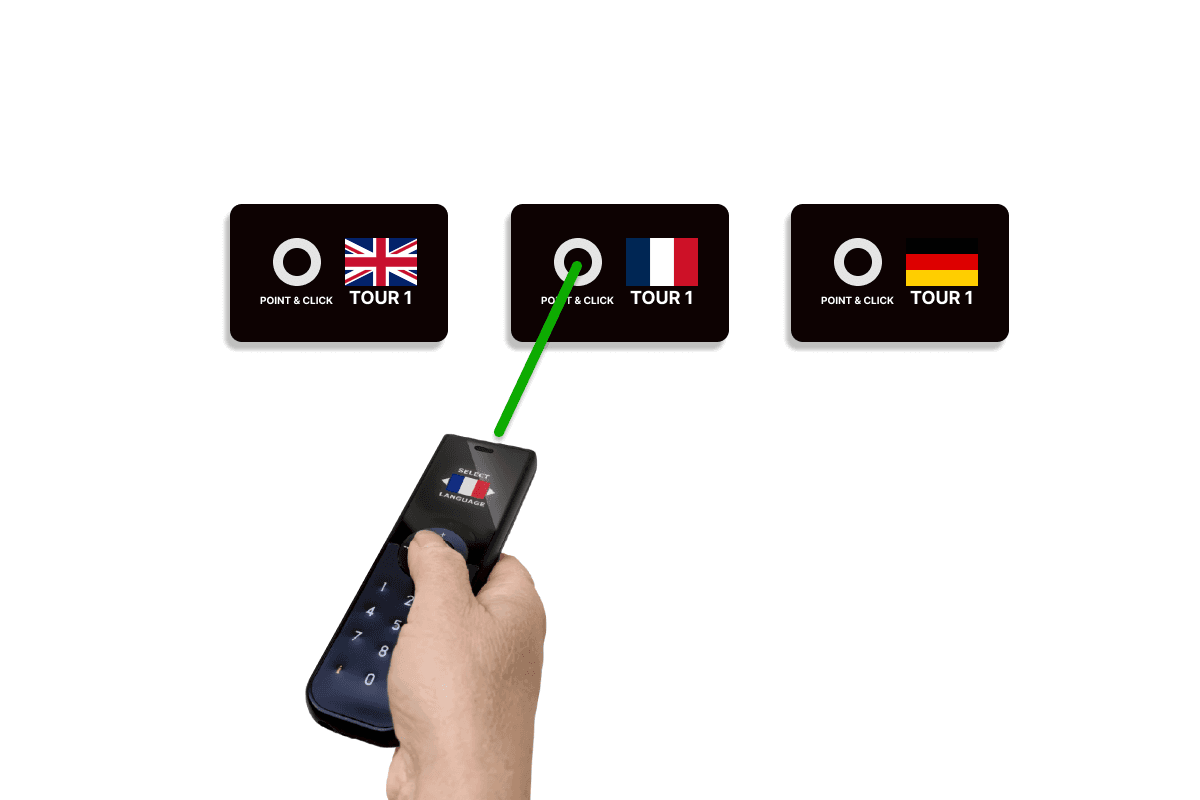
Visitors point the audio guide at a target and press to start the selected stop.

Best for: Playful, object-centred selection without a numbered keypad

How it works

The visitor aims the audio guide at a TARGET AG and presses the trigger button. In its normal wait mode, the target receives the guide's infrared request and returns the assigned radio content ID to that guide before returning to standby. The target runs on two AA batteries, its range is adjustable, and its cover can carry exhibit graphics. Clear line of sight and a comfortable pointing height are important.

Buzz & Play

Buzz & Play

The visitor approaches or touches a target and receives vibration feedback as the content starts.

Best for: Family routes, tactile interactions and exhibits where the trigger is part of the experience

How it works

A target is configured as a short-range automatic radio trigger. When the visitor brings the audio guide close, the device receives the target's content ID, vibrates to confirm the selection and starts playback. The trigger power is kept low enough to create the intended near or tap-like interaction. Closely spaced targets must be tuned and tested together, and reachable surfaces should be included in the cleaning plan.

Look2Innovate
Triggering modes

Visitor-selected triggers

The visitor makes a deliberate selection. These modes are easy to understand, reduce false starts and provide a dependable fallback.

Touchscreen map or list

Touchscreen map or list

Visitors choose a stop from images, a map or a list on the tablet display.

Best for: Tablet tours, family routes, maps and visitor-led exploration

How it works

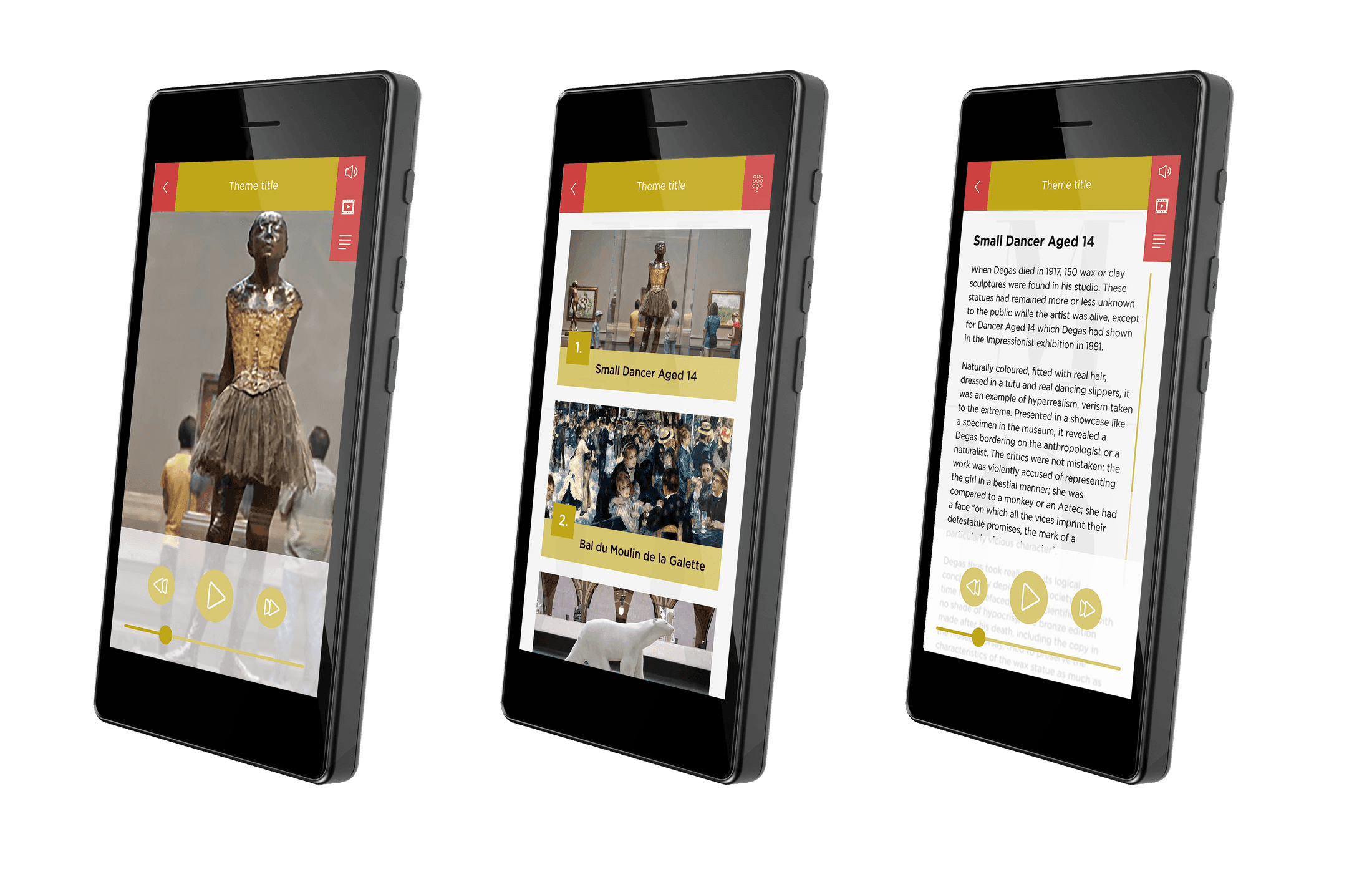
The tablet app presents stops as images, map points or a list. Tapping an item calls the linked content ID and opens the audio, video or accessible media stored for that stop. The interface can separate languages, routes and visitor profiles. It needs careful navigation, readable touch targets and testing on the final screen size.

QR code

QR code

The visitor scans a printed code to open the matching stop on a tablet or phone.

Best for: Temporary exhibitions, visitor phones and easily replaced labels

How it works

Each printed QR code contains a stop link or identifier. The camera reads the code and the app or browser opens the matching content. Codes are inexpensive to produce and easy to replace, but they need enough size, contrast and light for reliable scanning. Web-based tours also need connectivity unless the content is already stored in an installed app.

Look2Innovate
Triggering modes

Automatic and location-based triggers

The device responds to a transmitter, beacon, position or visual target. The gallery layout determines how precise the trigger can be.

Precise location triggering

Precise location triggering

Content starts automatically when a visitor enters a tightly defined location. It works across all Look2Innovate devices, on its own or with synchronization.

Best for: Closely spaced exhibits, doorways and precise automatic zones

How it works

A powered AUTO LK AG creates a tightly aimed trigger area. Any Look2Innovate audio guide or tablet entering that area starts the assigned content. The unit uses infrared to transmit the content ID, and its mode, number and power can be configured for the installation. External emitters or shutters can narrow the area further. It needs line of sight, careful aiming and testing under the room's actual lighting. It can work independently or be combined with Sync AG when the content must follow video or a show controller.

Room triggering

Room triggering

A compact battery-powered beacon starts content automatically across an adjustable room or zone without cabling. It works across all Look2Innovate devices, on its own or with synchronization.

Best for: Rooms, galleries, outdoor routes and flexible automatic zones

How it works

A battery-powered TARGET AG creates an adjustable automatic trigger area for any Look2Innovate audio guide or tablet. Under the hood, it sends a content ID over Look2Innovate's 2.4 GHz RF system. Two AA batteries typically provide at least two years of use, and 15 power levels adjust the practical range from about 30 cm to 6 m. Each beacon works independently without internet or a central controller. It can also be combined with Sync AG when playback must follow video or a show controller.

Look2Innovate
Triggering modes

Automatic and location-based triggers

The device responds to a transmitter, beacon, position or visual target. The gallery layout determines how precise the trigger can be.

Bluetooth Low Energy

Bluetooth Low Energy

A tablet or app detects Bluetooth beacons for proximity prompts or indoor positioning.

Best for: Look 3 tablet projects, broad zones and map-based experiences

How it works

A Look 3 tablet or app scans for Bluetooth Low Energy beacon identifiers and applies proximity or map rules to decide which content to show. The project configures beacon IDs, transmit power and scanning thresholds, then calibrates them in the finished space. Bluetooth signal strength changes around bodies, walls, glass and metal, so it is better for broad proximity and positioning than for separating adjacent objects precisely.

GPS

GPS

Outdoor coordinates start content as the visitor reaches a point along a route.

Best for: Heritage trails, parks, open-air museums and city tours

How it works

The tablet or app compares its live satellite position with geofenced stops along the route. Entering a stop radius can start the content automatically or offer it to the visitor, while a manual control remains available as a fallback. Routes must be tested at walking speed and from every approach. GPS is intended for outdoor use; buildings, trees and reflected signals make it unreliable for indoor rooms.

Look2Innovate
Triggering modes

Automatic and location-based triggers

The device responds to a transmitter, beacon, position or visual target. The gallery layout determines how precise the trigger can be.

AR or vision recognition

AR or vision recognition

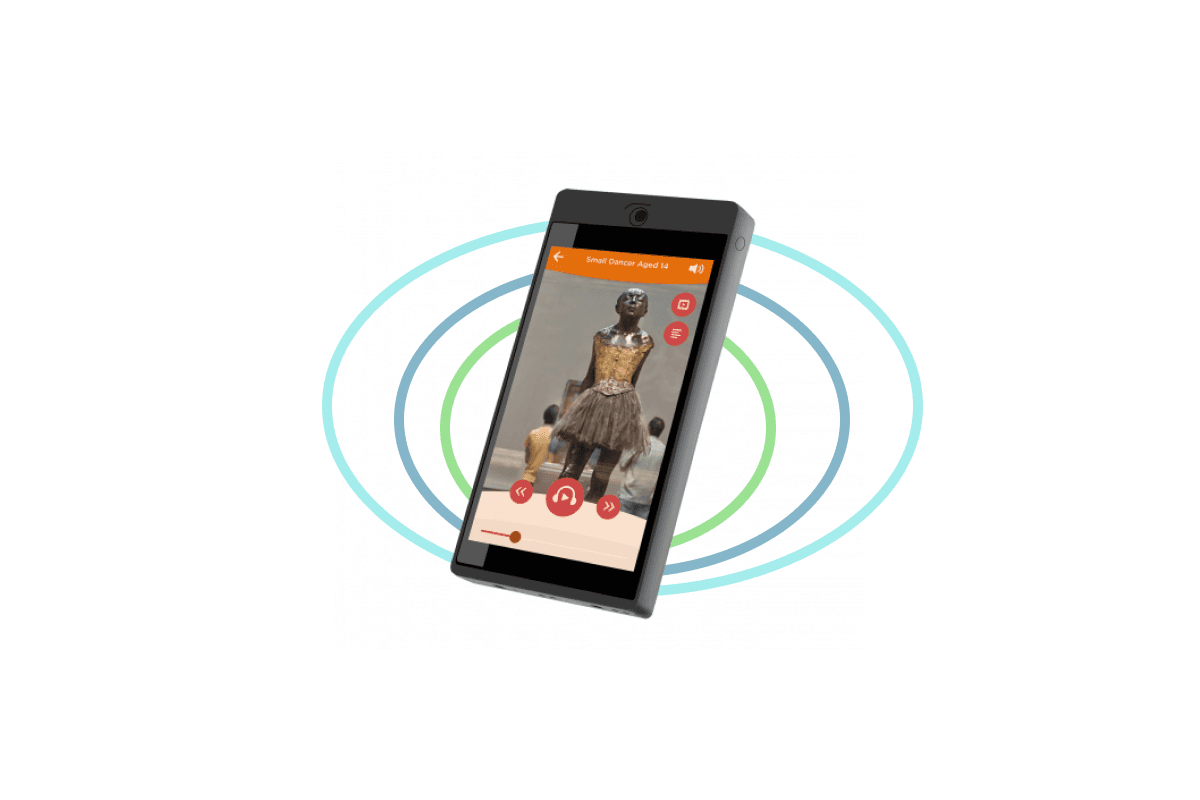
The tablet camera recognises an artwork, object or visual target and opens the matching content.

Best for: Distinctive visual collections, object scanning and augmented reality

How it works

The tablet camera compares the visitor's view with prepared reference images, objects or visual markers. A successful match opens the linked stop or places an augmented-reality layer over the camera view. The project needs suitable reference images, rights clearance and tests for distance, angle and lighting. Similar objects, glare, dim rooms, crowds and moved exhibits can reduce recognition reliability.

Look2Innovate
Triggering modes

Guide-controlled triggering

A group leader starts pre-recorded content for visitor devices, keeping a guided group on the same stop and timing.

Guide-side remote triggering

Guide-side remote triggering

A guide starts pre-recorded messages remotely on the devices carried by the group.

Best for: School groups, educator-led visits, VIP tours and multilingual groups

How it works

The guide selects a pre-recorded stop and sends its trigger command to the visitor devices in the group. Each device plays the corresponding local file in the visitor's selected language, so the group stays together without sharing one language channel. Devices are assigned to the correct group, loaded with the same stop mapping and tested before the visit. This mode is designed for led groups rather than free-roaming visitors.

Triggered playback can also control the room

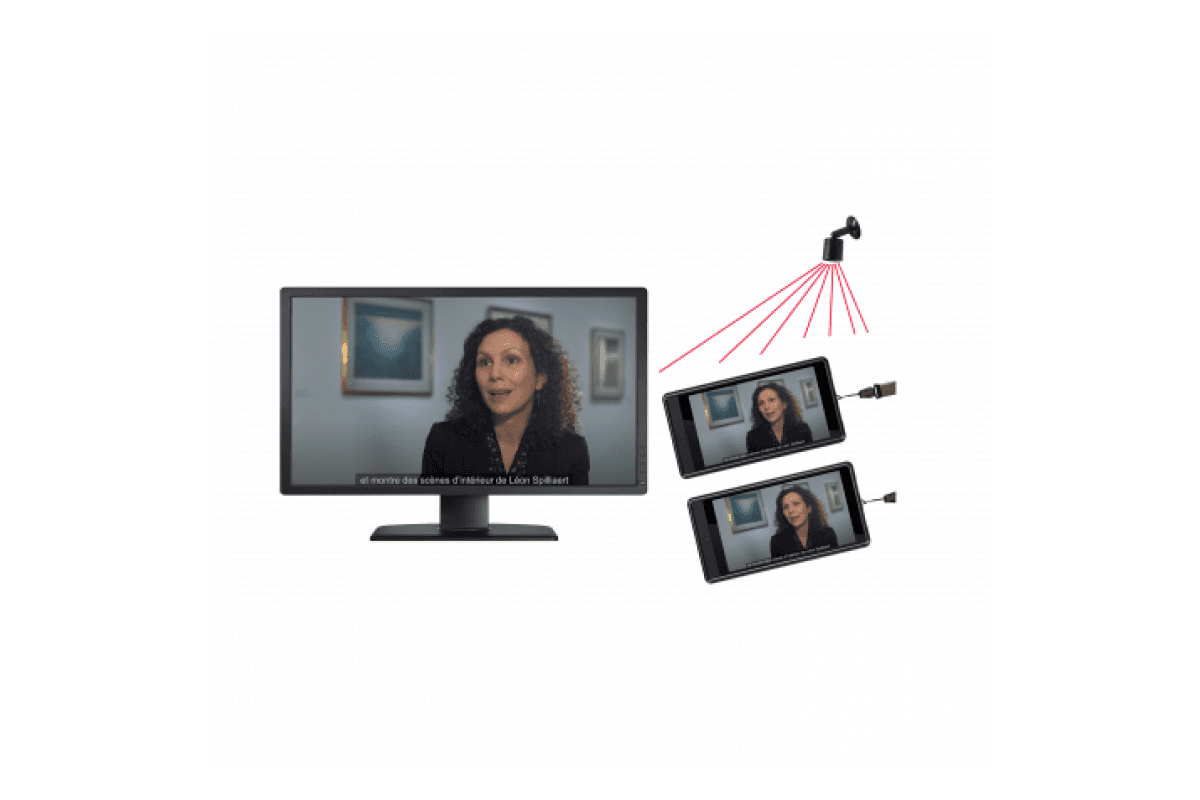
All Look2Innovate audio guides and tablets support triggering. Each trigger can work on its own to start local content, or it can be combined with the optional Sync AG synchronization box. Sync AG connects to a video player or show controller, normally by GPIO, and distributes timing wirelessly while the show runs.

Look2Innovate
Triggering modes

Triggering mode FAQs

How many trigger points and synchronization boxes do I need?

The number follows the experience, not the number of visitor devices. Plan one trigger point for each on-demand location. Manual number entry needs no installed trigger point. Plan one Sync AG synchronization box for each independently synchronized room or show point.

Do the triggering modes need internet access?

Manual keypad, precise location, room and zone, Point & Click, Buzz & Play and guide-side triggering use local content and do not need internet during the visit. QR and app-based modes need connectivity only when their content is not stored on the device.

Can audio guides and tablets use the same triggers?

Yes. These triggering approaches are compatible across all Look2Innovate audio guides and tablets. The exact target configuration can vary by device family, so we confirm the final layout with an on-site test.

Which triggering modes suit closely spaced exhibits?

Use a deliberate selection such as number entry, Point & Click or NFC/RFID, or precise location triggering with a tightly defined area. Room, zone and Bluetooth signals change around people and materials, so adjacent positions must be tuned and tested together.

Can a trigger also start video, lighting or a show controller?

Yes. Sync AG can connect to a video player or show controller, normally by GPIO, and keep visitor audio aligned wirelessly. Synchronization is optional: the same trigger can simply start local content without controlling the room.

Look2Innovate
Contact

Get in touch

With over 25 years of experience, we support you in every way to build world-class interactive experiences

Sales

sales@look2innovate.com

+352 497 420 40

+32 485 941 014

Look2Innovate SA

10B route d'Arlon

7471 Saeul

Grand Duchy of Luxembourg

www.look2innovate.com

Creative Content

Through our international partner network, we can offer content production and recording in all European and major world languages.

Rental

All-inclusive packages, so you can focus on creating your experience. With worry-free rentals, you are always guaranteed to have enough functioning hardware.

Sale

For permanent exhibitions, or museums that have the capital to invest in hardware, outright purchase is sometimes the most economical.

Installation

We are always happy to lend a hand with an installation to ensure that everything is functioning exactly as it should.

Look2Innovate