Audio guide planning
Museum tablet tours: a 2026 buyer's guide
What a museum tablet tour is, what the device should do, how content and operations differ from an audio-only tour, and how to decide whether tablets, dedicated audio guides, or a mixed fleet fit the exhibition.
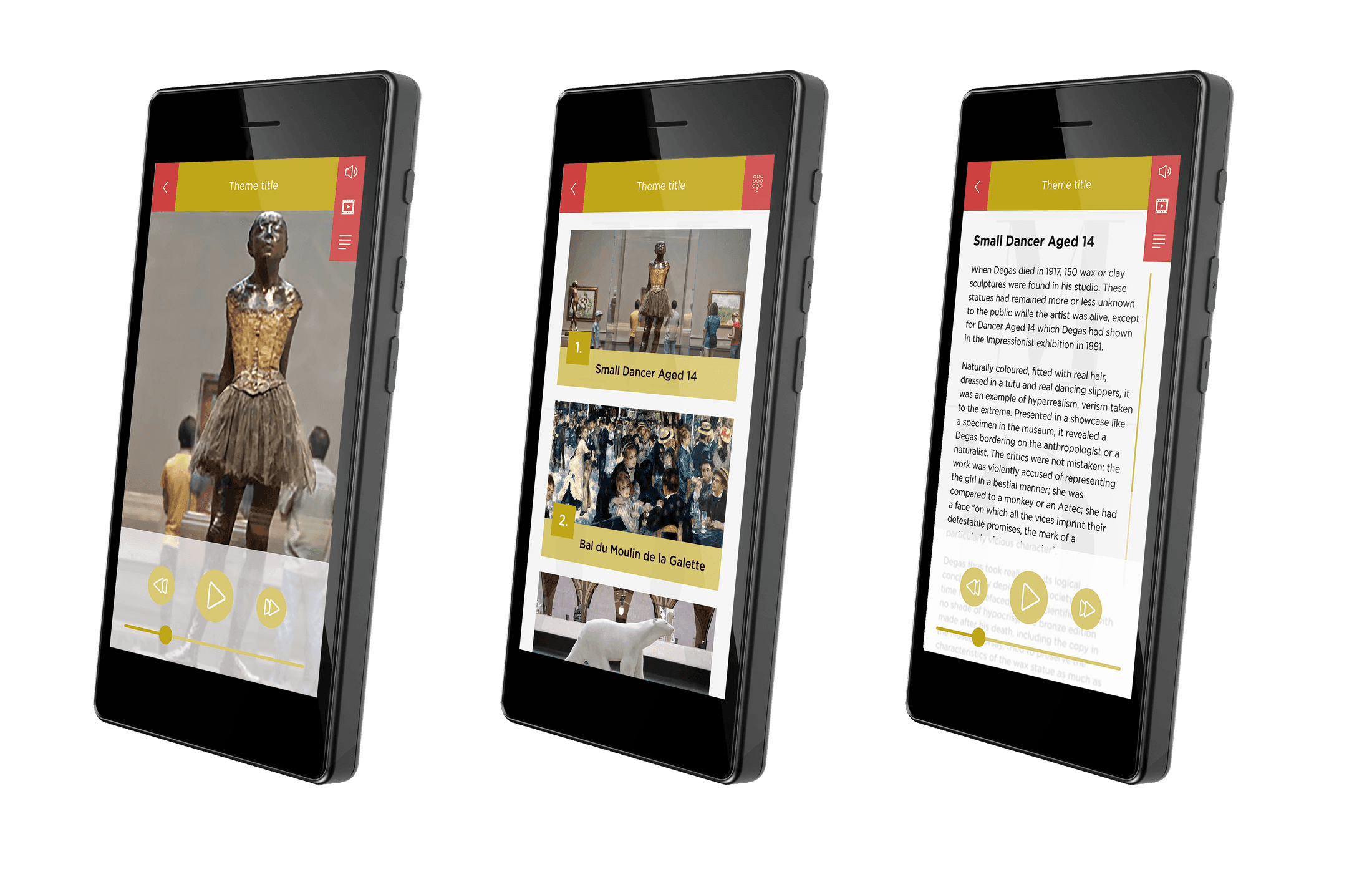
A museum tablet tour is a guided visit delivered on a handheld touchscreen device that combines audio commentary with images, maps, video, captions, and interactive stops. It suits exhibitions where interpretation depends on visual material, where deaf or hard-of-hearing visitors need sign-language video or captions, or where the route benefits from an indoor map. For audio-only tours with high daily visitor volumes, a dedicated audio player is usually the better fit. Many museums run both device types from the same content management system so editors only manage content once.
This guide is for museum operations managers, exhibition producers, and procurement teams specifying a tablet tour for a permanent gallery, a temporary exhibition, or a new venue. It covers what a museum tablet should do at the hardware level, the content models tablets support, the operational trade-offs, and how the choice connects to a wider audio guide fleet.
What a museum tablet tour is
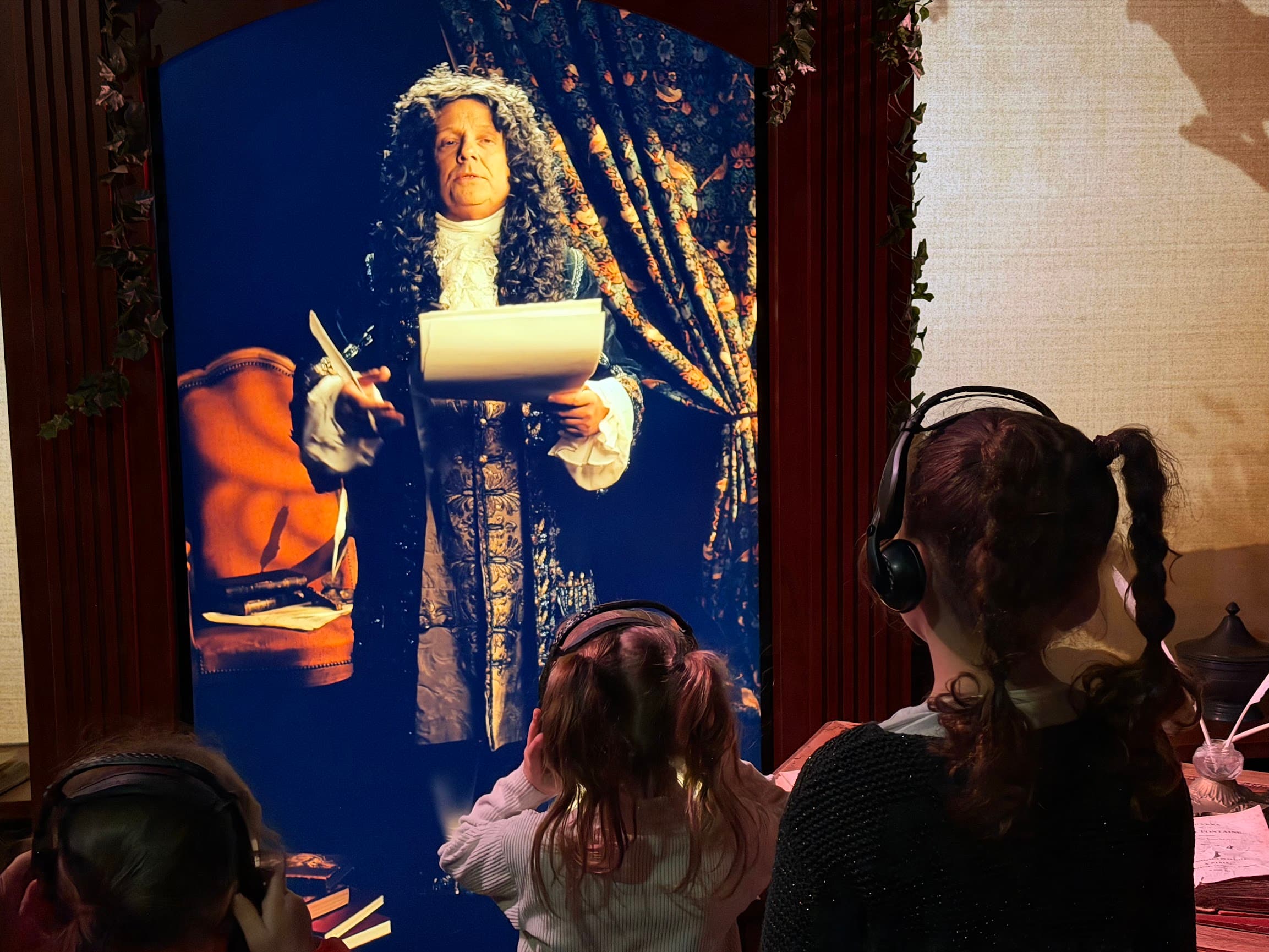
A tablet tour replaces a handheld audio player with a purpose-built museum tablet that runs a tour application. The visitor receives the device at the entry desk, selects a language, and follows a sequence of stops. At each stop, audio commentary plays alongside on-screen images, maps, captions, or short video. Some tours add interactive elements: quiz prompts, family-tour activities, comparative image galleries, or augmented-reality views overlaid on the camera feed.
The defining feature is the screen. Without it, a tablet has no advantage over a dedicated audio guide. The screen is what allows the tour to carry sign-language video for deaf visitors, captions, painting detail zooms, room maps for large or labyrinthine sites, and interpretive overlays that an audio-only tour cannot deliver. If the tour brief does not require any of these, a dedicated audio player will give a simpler visitor experience, a smaller fleet footprint, and longer battery life. See tablet vs dedicated audio guide for the device-choice framework.
Tablet tours are common for temporary blockbuster exhibitions with rich visual programming, for permanent galleries that depend on maps or comparative imagery, for heritage sites that benefit from indoor route guidance, and for deaf-accessible tracks at any venue. They are less common as the default device for audio-only collections or for very high daily visitor volumes, where the dedicated-player workflow is faster at the handout desk.
What a museum tablet should do at the hardware level
A consumer tablet is not a museum tablet. Daily lending, hundreds of handout cycles, drop risk, and shared headset use put requirements on the device that a generic Android or iPad does not meet out of the box. The shortlist of capabilities below is the practical specification for a tablet that will run a tour fleet day after day.
| Capability | Why it matters | Typical museum-grade target |
|---|---|---|
| Screen size and brightness | Readable in gallery lighting, comfortable to hold for 60–90 minute tours | 5–7 inch display, high-contrast, anti-glare coating |
| Storage | All audio, images, video, and captions cached locally for offline play | 64–128 GB internal storage |
| Battery life | One full operating day from a single charge under continuous use | 10+ hours continuous playback; 15+ hours on Look 3 |
| Triggering hardware | Detects stops without relying on manual code entry | IR, RF, NFC, Bluetooth, GPS, QR or camera-based recognition |
| Headphone connectivity | Reliable wired headset for daily lending and quick cleaning | 3.5 mm jack with secure connector; Bluetooth optional |
| Connectivity | Overnight content updates and visitor statistics upload | Wi-Fi, optional Ethernet via dock |
| Operating system | Kiosk-locked, no consumer app store, managed updates | Custom or locked Android with kiosk mode |
| Drop and impact tolerance | Survives daily lending without weekly replacements | Protective case rated for 1.2–2 m drop; reinforced corners |
| Cleaning surface | Tolerates wipe-down between visitors with standard cleaners | Sealed buttons, non-porous case, removable headset covers |
Look2Innovate's Look 3 museum tablet meets this specification with a 5.5-inch display, 128 GB storage, Android 14, IR, RF, NFC, Bluetooth, GPS, Wi-Fi, 3.5 mm audio output, magnetic dock charging, and a 2 m drop-tested body designed for daily handout use. Earlier-generation Look tablets remain in service at venues that standardised on the platform and continue to receive software support. The point is not which model: it is that a museum tablet has to clear all of the rows in the table, not just the screen and battery rows that a consumer device would also pass.
Content models a tablet tour can carry
Audio commentary with stop images
The minimum useful tablet tour pairs each audio stop with one or two reference images: the object being described, a detail crop, a contextual photograph. This model is easy to produce, easy to manage, and accessible to first-time visitors. It is the right starting point for permanent galleries that want a tablet variant without a fully reworked content brief.
Audio commentary with an exhibition map
For large galleries, heritage sites, and outdoor routes, the map is what a tablet tour gives visitors that an audio guide cannot. A floor plan with numbered stops, current position when supported by Bluetooth Low Energy beacons or GPS, and a suggested route lets visitors orient themselves and decide which stops to prioritise. For multi-floor museums or sites with several wings, a map view typically reduces front-desk wayfinding questions.
Full multimedia: audio, images, video, and captions
The richest tablet model adds short video, painting-detail zooms, captions for every track, and optional reading-text variants. This is the model most temporary blockbuster exhibitions use. Production cost is higher than an audio-only tour and content needs scriptwriting, image rights clearance, and video editing alongside the audio recording. The reward is a tour that can carry catalog-grade interpretation in the visitor's hand.
Accessibility variants on the same tablet
Sign-language video for deaf visitors, captions for hard-of-hearing visitors, audio description and screen-reader output for low-vision visitors, and large-text reading-script variants are all carried on the same tablet. A tablet does not replace a dedicated audio guide with physical controls for blind visitors, but for deaf and hard-of-hearing visitors the tablet is usually the better choice. See accessible audio guides for museums for the full accessibility planning view.
Interactive, family, and educational stops
Quiz prompts, drawing tools, family-tour activities, treasure-hunt prompts, and short interactive games depend on a screen. For exhibitions targeted at school groups, family audiences, or repeat visitors who want more than a single linear tour, these formats can justify the operational weight of a tablet fleet. They should be planned as part of the content brief from the start; retrofitting interactive stops onto an existing audio script rarely produces a coherent visitor experience.
Stop triggering for a tablet tour
Triggering on a tablet uses the same basic decision as triggering on a dedicated audio guide: should the visitor choose the stop, or should the device detect it automatically? The tablet adds screen and camera options, while museum-grade hardware can still use purpose-built IR, RF and short-range tags. Pick the smallest set that delivers the visitor experience the exhibition needs.
- Manual keypad: visitor types a number printed on the label. Always support it as a fallback so the tour does not break if a tag, beacon, or camera target fails.
- NFC or RFID: visitor taps the tablet against a small disc near the object. Reliable, cheap, and easy to install. Works well for permanent galleries with stable object positions.
- IR or RF: the tablet detects a purpose-built transmitter or zone. IR is better when the stop boundary must be narrow and directional; RF is better for room-level or lighter installation zones.
- Bluetooth Low Energy beacons: tablet detects proximity to a battery-powered beacon and offers the matching stop. Good for room-level prompting and indoor positioning, especially when a map view is part of the tour.
- QR codes: visitor points the camera at a code printed on object labels. Cheapest to install, slowest to use, more sensitive to lighting and crowd interference.
- GPS: useful for outdoor heritage routes and city tours. Indoor accuracy is too low for object-level triggering.
- Image recognition: tablet camera identifies the object. Effective for distinctive objects in good lighting; less reliable in crowded galleries or low-light rooms.
For the full triggering decision framework, see museum audio guide triggering modes. In Look2Innovate deployments, many tablet tours use IR or RF where the museum wants automatic triggering, NFC or RFID where the visitor should make a deliberate short-range selection, and a manual keypad as the universal fallback. Bluetooth or GPS is added when mapping or outdoor positioning is part of the experience.
Fleet operations: charging, cleaning, drop, and handout
Charging and content sync
A tablet fleet needs reliable nightly charging. Continuous playback runs 10–15 hours on a museum-grade tablet, and screen-on time at full brightness shortens that. Plan charging racks for the full fleet plus spares, and verify Wi-Fi coverage at the dock location so overnight content updates and statistics uploads complete without staff intervention. A dropped sync cycle is recoverable, a dropped charging cycle is not: a tablet that starts the day half-charged will not last to closing.
Drop tolerance and case policy
Tablets in daily museum service drop more often than visitors realise. A reinforced case rated for at least 1.2 m drop is the practical minimum. Screen protectors add a cleaning step but extend display life. Look2Innovate tablets are designed around this real-world public use, with a 2 m drop-tested body and hardware intended for repeated handout, return, charging, and cleaning cycles across a broad visitor audience.
Cleaning between visitors
Tablet surfaces are larger than dedicated audio guide bodies, so wipe-down time per unit is longer. Headset covers should be replaced between visitors. A planned cleaning station near the return desk, with the cleaner, replacement headset covers, and a tray for units awaiting cleaning, keeps the handout queue moving.
Handout and visitor pick-up
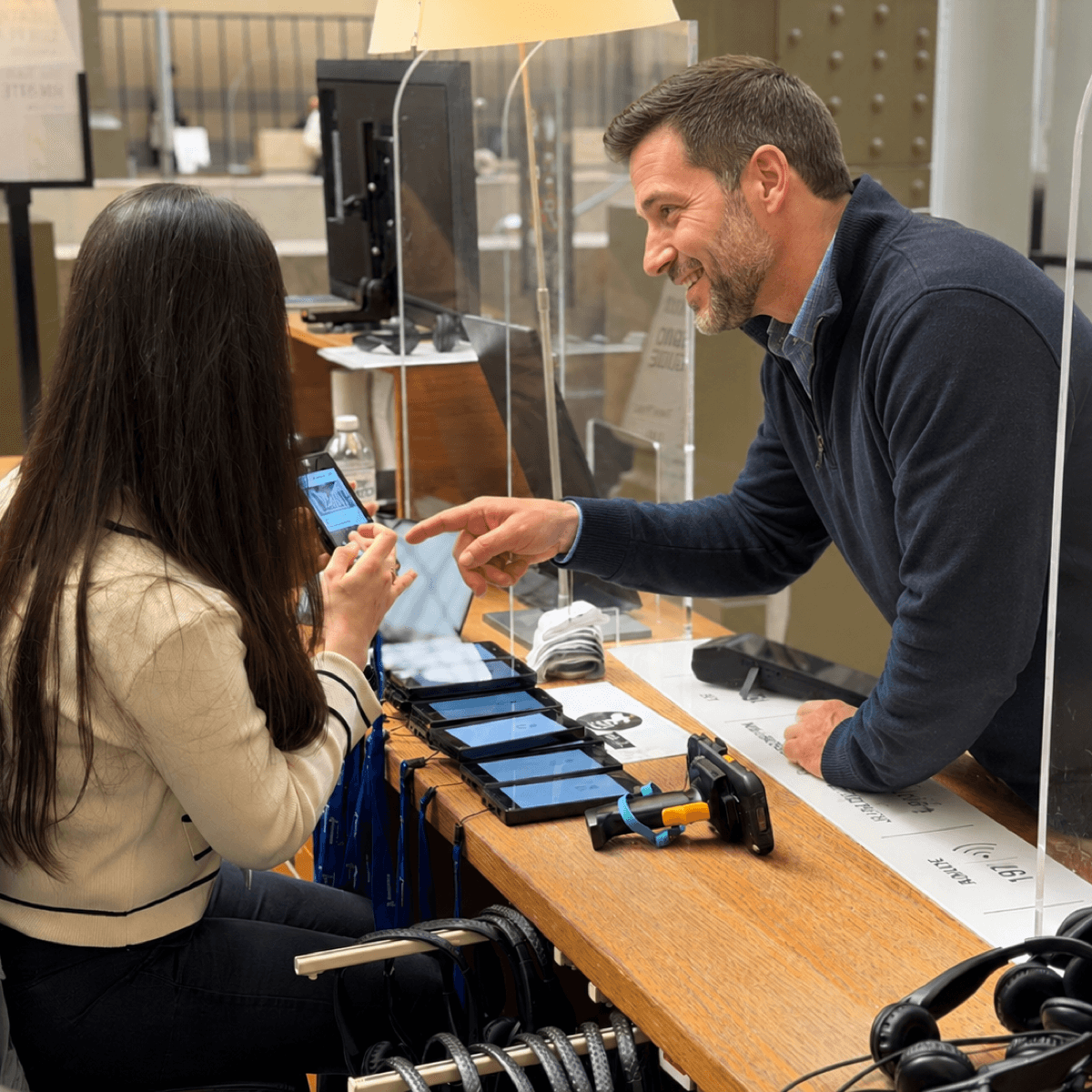
A tablet handout takes longer than a dedicated audio guide handout because the visitor needs a brief orientation: language selection, how to start a stop, where the map is. Either the interface is designed so first-time visitors can self-orient in seconds, or the front desk allocates time for a short walk-through. For tours where the tablet is offered alongside a dedicated audio guide, give the visitor the choice but recommend the dedicated guide as the default when the screen is not central to the interpretation.
Fleet sizing for tablets
Size a tablet fleet against peak simultaneous tablet users, not against peak overall visitor volume. When a tablet is offered alongside a dedicated audio guide, the tablet share is usually a minority: visitors who specifically want the visual tour, sign-language video, or interactive content. In Look2Innovate proposal planning, a spare allowance of 5–15% applies on top of peak simultaneous users to absorb charging cycles, cleaning rotations, and breakage.
Content management and analytics
A tablet tour shares a content backbone with the audio tour. The same stop IDs should drive the same audio track in both formats, with visual content layered on top for the tablet. This means editors approve and publish once, and updates do not silently fall out of step between the audio-only and tablet variants.
For many tablet applications, Look2Innovate works with specialist software partners for the visitor-facing app, and those partners often provide their own CMS for app content, publishing, and reporting. Smartify is one of those partners, including at The National Gallery. That partnership changes the app layer, but it does not remove the hardware questions: the tablet still needs the right case, charging plan, trigger method, headphone connection, lockdown, cleaning routine, and spare-unit policy.
Whatever CMS powers the app, procurement should test the operational link to the hardware fleet. Ask how content publishes to tablets, whether media is cached for offline use, how stop IDs align with any audio-only fleet, how updates reach devices overnight, and where analytics can be exported. If tablet data and dedicated-player data are reported together, agree the shared fields in advance: stop ID, language, start count, listen-through rate, dwell time, device type, and tour variant.
Two analytics signals are particularly useful when reviewing a tablet tour after launch. Listen-through rate per stop indicates which scripts hold attention and which are too long. Dwell time per stop indicates which objects warrant more interpretation and which can be trimmed. A tablet tour produces both signals at finer granularity than visitor surveys, with the side effect that scripts can be revised on evidence rather than impression.
Tablet only, dedicated only, or mixed fleet
| Fleet model | Fits when | Limitations |
|---|---|---|
| Dedicated audio guides only | Audio-only interpretation, high daily volumes, blind and low-vision visitors a key audience, tight operational margins | No sign-language video, no maps, no interactive stops, no on-device images |
| Tablets only | Visual interpretation is central, audience expects rich media, exhibition is temporary with curated content, blind-accessibility supported through other channels | Slower handout, shorter battery margin, harder to serve blind visitors at parity, larger per-unit fleet footprint |
| Mixed dedicated and tablet fleet | Permanent collection with mixed visitor needs, accessible variants required, multi-language audience, single content workflow desired | Two device types to charge, clean, and brief; CMS must cleanly version audio-only and tablet variants of the same stops |
In Look2Innovate proposals, the mixed fleet is the most common recommendation for permanent galleries with broad audiences. The general visitor population uses dedicated audio guides such as Trend and Style, deaf visitors and visitors who specifically want the visual tour use Look 3 tablets, with shared stop IDs and a coordinated content workflow across the relevant CMSs. Tablet-only fleets are common for temporary exhibitions where the visual content is the point of the tour, and dedicated-only fleets remain common for audio-only collections at venues optimising for operational simplicity.
FAQ
What is a museum tablet tour?
A museum tablet tour is a guided visit delivered on a handheld touchscreen device that combines audio commentary with images, maps, video, captions, and interactive stops. It suits exhibitions where interpretation depends on visual material, where deaf or hard-of-hearing visitors need sign-language video or captions, or where the route benefits from an indoor map.
How is a museum tablet different from a consumer tablet?
A museum tablet is built for daily lending, with reinforced case, sealed buttons, kiosk-locked operating system, museum-grade triggering hardware such as NFC and Bluetooth Low Energy, a wired headphone jack, and managed content sync. Consumer tablets usually do not pass those operational requirements without rugged cases, kiosk lockdown, managed sync, and accessory planning.
How long do museum tablets last on a single charge?
Museum tablets in current production typically run 10–15 hours of continuous use on one charge. That covers a full visitor day if charging is reliable overnight. Battery life drops with screen-on time at maximum brightness and with heavy video playback, so a tablet fleet needs a working charging dock plan, not just enough sockets.
When should a museum use tablets instead of dedicated audio guides?
Use tablets when the tour depends on visual material the visitor must see: maps for large sites, painting-detail zooms, sign-language video, captions, interactive stops, or augmented-reality overlays. Use dedicated audio guides when the interpretation is audio-only, when visitor volumes are high, or when blind and low-vision visitors are a primary audience. Many museums run both device types with shared stop IDs and coordinated CMS workflows.
How do museum tablets trigger the right audio at each stop?
Most museum tablet tours trigger stops using NFC tags placed near objects, Bluetooth Low Energy beacons for room-level proximity, QR codes printed on object labels, or a manual keypad fallback. Outdoor heritage routes use GPS. The right method depends on object density, lighting, and whether a live map view is part of the tour.
Can a tablet tour and an audio-only tour share the same content?
Yes, if the content model is planned around shared stop IDs. A partner such as Smartify may provide its own CMS for the tablet application, while the audio-only fleet uses a separate publishing workflow. The important requirement is that audio, images, captions, video, and sign-language assets remain mapped to the same stops so edits do not diverge between device types.
How many tablets does a museum need for a tour?
Size the tablet fleet to peak simultaneous tablet users, not to peak overall visitors. In a mixed fleet, tablet users are usually a minority who specifically want the visual tour, sign-language video, or interactive content. Add 5–15% spares on top of peak simultaneous users to cover charging cycles, cleaning, and breakage. Check the charging dock plan so every unit can start each day fully charged.