Audio guide planning
Museum audio guide planning guide
A practical guide to choosing museum audio guides by rental model, accessibility needs, languages, triggering, charging, and daily operations.
A museum audio guide should be chosen around the daily visitor flow, not only around the device. For most museums, the right setup depends on five decisions: whether to rent or buy, how many languages and accessible tour variants are needed, which triggering method fits the building, how devices will be charged and sanitized, and who will manage content updates. Look2Innovate supports those decisions with dedicated audio guide hardware, tablet guides, CMS workflows, setup, content production, and replacement units.
Choose rental, purchase, or long-term rental first
For most museums, the first decision is commercial rather than technical: rent, buy, or use a long-term rental. The right answer depends on exhibition length, visitor volume, staff capacity, service risk, and whether the museum wants replacement units, maintenance, support and refresh planning bundled into the project.
| Model | Best fit | Main risk |
|---|---|---|
| Rental | Temporary exhibitions, touring shows, uncertain demand | Can become expensive if a short rental is simply extended for years |
| Purchase | Permanent installations with predictable visitor volume | The museum owns battery ageing, repairs, spares, downtime and replacement planning |
| Long-term rental | Multi-season or permanent fleets where the museum wants predictable cost and worry-free service | Contract terms should define support, swaps, refresh cycles and exit options clearly |
In Look2Innovate proposal planning, rental usually works best when the project should bundle devices, content loading, logistics, on-site setup, maintenance, support and replacement units. Purchase can work when demand is predictable and the museum has the staff capacity to manage the fleet over several years. Long-term rental is often the more comfortable middle ground: the museum gets continuity without carrying the full burden of repairs, spare pools, battery ageing, unexpected downtime and future hardware refreshes.
That can also change the cost calculation. Once internal handling, technical troubleshooting, spare devices, repairs, battery replacement, storage and procurement cycles are counted, a long-term rental may cost less than owning the fleet outright. It also keeps the operational promise simple: if the museum needs working guides for visitors every day, the service model is built around keeping the fleet working every day.
Plan accessibility and languages as content requirements
Accessibility formats
Accessibility is not a late hardware add-on. Audio description, hearing-loop-compatible output, high-contrast tactile keypads, sign-language video and simplified tour variants should be planned with the content model from the start. For screen-based tours and web content, use WCAG as the reference point for accessible digital presentation.
Language capacity
Most Look2Innovate hardware audio guides support up to 32 languages and custom tours. Tablet-based guides such as Look 3 can support richer visual formats, including sign-language video, maps, images and visitor-specific tour variants.
Content ownership
Treat each language and accessible tour as part of the same content workflow. The museum should know who writes, translates, reviews, records and approves each version before the devices are loaded.
Match triggering to the museum layout
Precise room or stop triggering
In Look2Innovate deployments, infrared (IR) triggering is usually the cleanest choice when rooms or stops need precise location-based playback because transmitters can be aimed at defined zones. RF and RFID can be useful where cabling is hard or targets need to be hidden.
Manual or visible stop selection
Keypad or number-pad entry works well when exhibits already have visible stop numbers. Touchscreen selection fits tablet guides and visual tours. Point & Click, Buzz & Play, manual start and guide-side remote triggering solve more specific layouts or group scenarios.
Synchronized media testing
For immersive rooms or synchronized media, triggering should be tested with the actual visitor path, ambient sound, sightlines and staff reset process before launch. A meeting-room demo is not enough evidence for a gallery installation.
Design the charging, sanitizing, and spare-unit workflow
A reliable audio guide fleet needs a daily back-of-house process. The more seasonal or peak-heavy the venue is, the more important this process becomes.
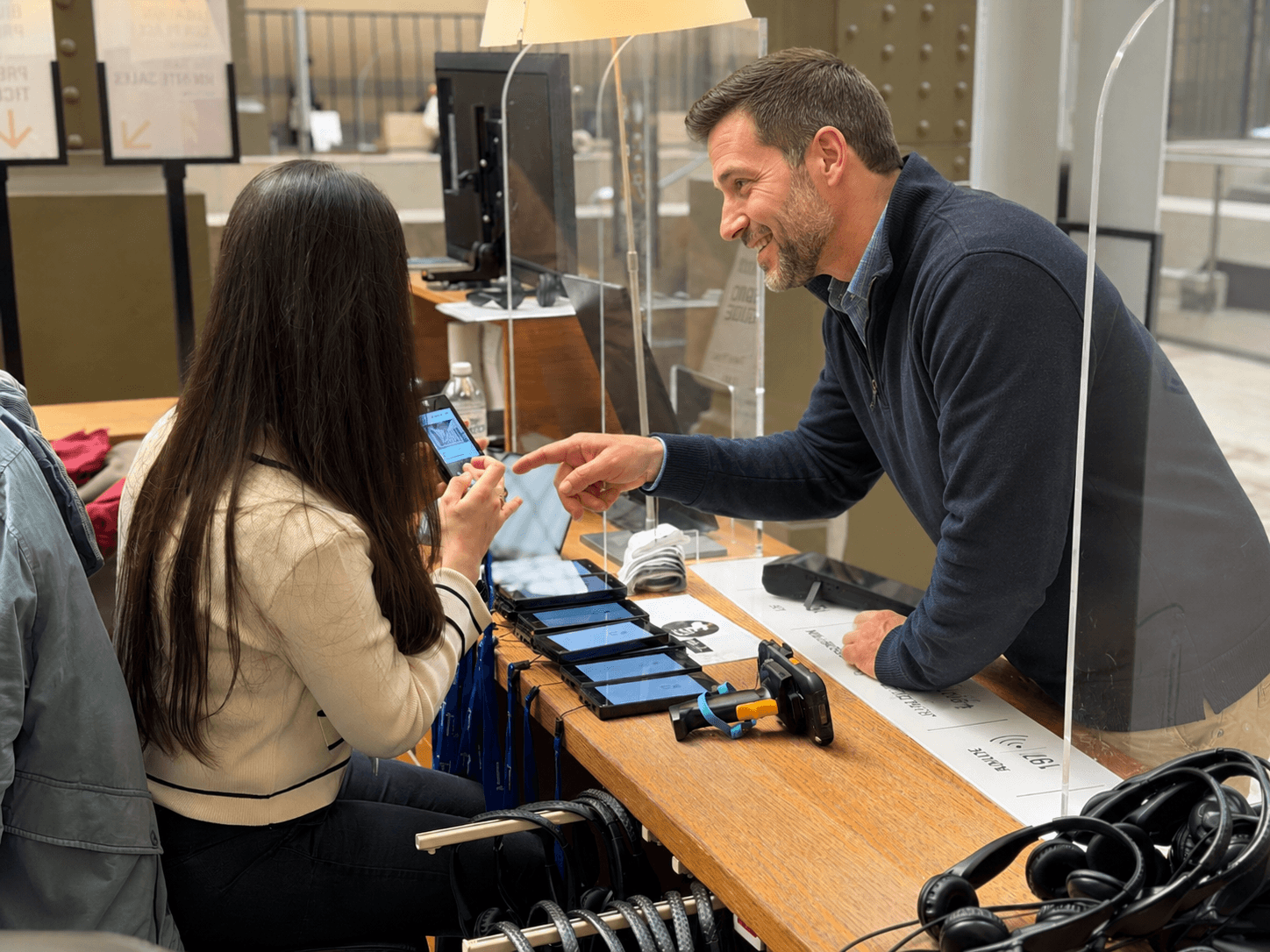
- Hand out ready devices and headsets.
- Separate returned units from ready units.
- Clean devices and replace or clean headsets.
- Check battery status.
- Return devices to charging docks.
- Sync content and statistics where the fleet supports it.
- Rotate spare units before the next visitor window.
Look2Innovate hardware audio guides run for over two months of real-world use and up to a full day of continuous playback, but docks and staff flow still matter because every unit should return ready for the next visitor window.
Connect the guide fleet to CMS and analytics workflows
CMS workflow
The content management system should make it simple to update language versions, tour variants, stop order, device sync and reporting. This is especially important for museums that change exhibitions often or run several visitor journeys in parallel.
Analytics workflow
Analytics should answer operational questions: which languages are used, which stops are popular, whether visitors finish the tour and whether content updates reached the fleet. They should not be treated as a decorative dashboard. The museum visitor analytics guide explains which metrics support those decisions and where the data can mislead.
Deployment proof
For large cultural sites such as Musée d'Orsay and The National Gallery, audio guide planning has to combine visitor experience, multilingual access, reliable hardware and operational reporting rather than treating the guide as a standalone device.
FAQ
How long do Look2Innovate audio guide batteries last?
Our hardware audio guides run for over two months of real-world use and up to a full day of continuous playback. Each unit returns to the charging dock between visits, where it is sanitized and battery-balanced for the next day.
Do the guides support accessible tours?
Yes. Look2Innovate audio guides support audio description for blind and low-vision visitors, hearing-loop-compatible output for hearing-aid users, sign-language video on tablet models, and high-contrast tactile keypads. We can also combine audio guides with tablets for visually impaired visitors, using the same CMS programming so content only needs to be managed once.
Should we rent or buy?
Rent for temporary exhibitions or worry-free operations: rental bundles devices, content production, on-site setup, support, replacement units, logistics, and maintenance. Buy when the museum wants to own and manage the fleet internally. For many permanent or recurring programmes, however, long-term rental is the most reassuring option: it gives stable equipment, predictable budgeting, replacement units, support and refresh planning, and it may cost less over time once repairs, staff handling, downtime and hardware lifecycle management are counted.
How many languages are supported?
Most Look2Innovate audio guide hardware supports up to 32 languages and custom tours. Tablet-based guides can support an unlimited number of languages and tour variants. Visitors can switch language mid-tour without losing position, and we can produce localized voiceover content in-house and through our network of global partners.
Which triggering modes are possible?
All Look2Innovate guides support location-based infrared (IR) triggering. Depending on the device and installation, tours can also use RF triggering, RFID, Point & Click targets, Buzz & Play interaction, keypad or number-pad entry, touchscreen selection on tablets, manual start, and guide-side remote triggering for groups or synchronized media.