Audio guide planning
Tablet audio guides vs dedicated audio players for museums
How to choose between tablet and dedicated-device audio guides for museums: visitor experience, content depth, accessibility, fleet operations, and when each is the better fit.
The choice between a tablet audio guide and a dedicated handheld audio player is a content and operations decision, not a technology decision. Dedicated players are stronger for audio-only tours with large daily visitor volumes, high-volume loan operations, and guests who need tactile buttons or hearing-loop output. Tablets are stronger when the tour needs images, maps, sign-language video, interactive stops, or accessibility formats that require a screen. Many museums run both from the same CMS so staff only manage content once.
This guide is for museum operations managers, exhibition producers and procurement teams deciding which device type to specify, or whether a mixed fleet is the right answer. It covers what each device type does well, how operations differ, and what the content and accessibility requirements mean for the choice.
What the device choice actually decides
Device type determines content format, visitor experience, fleet operations, and accessibility. It does not determine quality. A poorly produced audio tour will disappoint visitors on a tablet just as quickly as on a dedicated player. The device choice should follow the content brief and the visitor model, not the other way around.
| Factor | Dedicated audio player | Tablet audio guide |
|---|---|---|
| Primary content format | Audio tracks and stop navigation | Audio plus images, maps, video, and interactive elements |
| Visitor interface | Physical buttons, tactile controls, keypad | Touchscreen, with or without physical controls |
| Blind and low-vision accessibility | Tactile controls and braille keypads supported; no screen required | Screen reader support possible; but screen-first by design |
| Hearing-loop support | Available on selected models | Depends on model and accessories |
| Sign-language video | Not supported | Supported via screen |
| Battery life in daily operation | Long battery reserve between uses; 10+ hours playback on many models | Typically 10–15 hours of continuous screen use |
| Fleet footprint per unit | Small: pocketable form factor on most models | Larger: needs a case and more rack space per unit |
| Drop resistance | Generally higher; purpose-built for daily lending | Variable; depends on case and model |
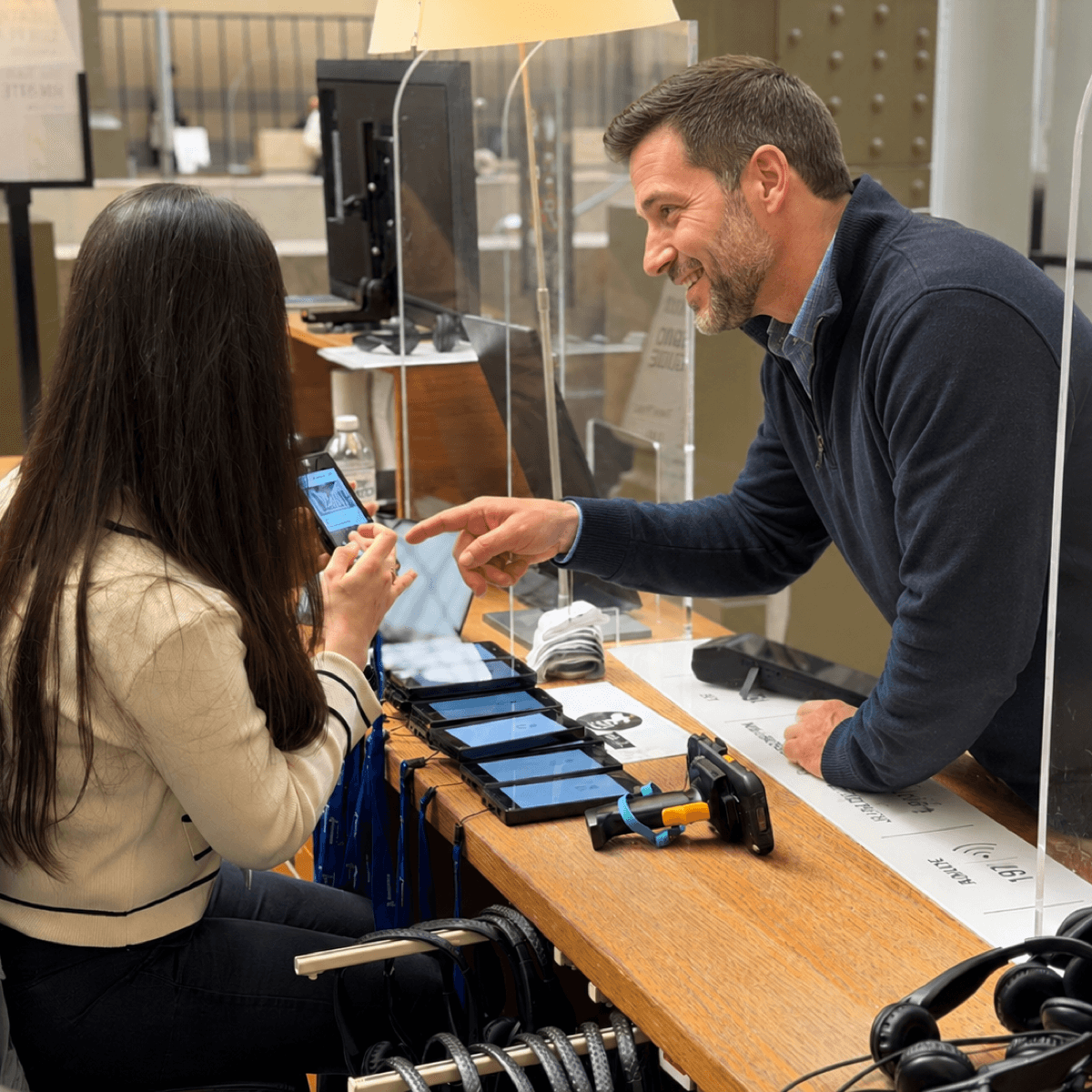
The device choice also affects the handout desk workflow. A dedicated audio player is small and familiar; visitors can be briefed in seconds on how to start and navigate. A tablet can do more, but staff must explain the interface unless it is very well designed for first-time users.
When a dedicated audio player is the better fit
Audio-only tours with high daily visitor volume
A dedicated audio guide delivers one job very well: the visitor presses play, puts the device in a pocket or around their neck, and listens. The interface is simple because the device is simple. In high-volume operations, this matters. Look2Innovate hardware audio guides such as Trend are designed for continuous daily lending: battery reserve between uses is long, controls are physical and self-evident, and the device does not require the visitor to manage a screen, a session timeout, or an app.
Blind and low-vision visitors, and hearing-aid users
For blind and low-vision visitors, a device with physical controls is often the more practical choice. A touchscreen requires the visitor to find interface elements by touch without labelling or braille. A dedicated audio guide with physical play, pause, volume and stop-selection buttons requires no screen. Selected Look2Innovate models including Style and Mini Trend also support hearing-loop-compatible output with compatible induction-loop or neck-loop accessories. These capabilities can be combined: the same fleet lends standard audio tours to sighted visitors and accessible audio with braille keypad input or hearing-loop output to visitors who need it.
Offline reliability and consistent visitor experience
Dedicated players store all content locally. There is no dependency on Wi-Fi, Bluetooth, or a mobile network. Audio plays consistently regardless of how many visitors are in the gallery or whether the venue's network is patchy. For museums in older buildings, heritage sites with thick masonry, or temporary exhibitions in venues with poor connectivity, local storage is a meaningful operational advantage.
When a tablet guide is the better fit
Visual collections, maps, and rich media
A tablet is the right choice when the tour interpretation depends on the visitor seeing something. Maps for large or complex sites, comparative images, digital zooms of painting details, room orientation, family-tour illustrations, and interactive timelines all require a screen. Look 3 is a museum tablet with a 5.5-inch display, 128GB storage, Android 14, NFC, GPS, and Wi-Fi, designed to combine audio commentary with full visual interpretation in one device.
Sign-language video and screen-based accessibility
Deaf and hard-of-hearing visitors need a screen to access sign-language video, captions, and large-text variants. A dedicated audio guide cannot deliver these formats. A tablet that runs the same stop IDs and CMS structure as the audio fleet means a deaf visitor and a hearing companion can move through the exhibition together at the same numbered stops, with the museum only managing content once.
Interactive, family, and youth tours
Interactive quiz stops, drawing tools, family-tour visual prompts, AR interactions, and touchscreen games are all screen-dependent. Where the museum's interpretation strategy includes these formats as part of the core visitor experience, a tablet is the right base device. For exhibitions targeted at school groups or families, the tablet may justify its operational weight because the screen is central to the interpretation.
Running tablets and dedicated players from the same CMS
Many museums do not have to choose one device type. With the right CMS structure and matching stop IDs, a hearing visitor can use a dedicated audio guide, a deaf visitor can use a tablet for sign-language video and captions, and a blind visitor can use a dedicated guide with audio description and braille keypad input, all from the same exhibition, the same handout desk, and the same content workflow.
With Look2Innovate's software partners and Look2Guide CMS, Look 3 tablets and dedicated audio guide hardware can share stop IDs and content structures, so editors only need to approve and publish content once. The practical requirement is a CMS workflow that maps between audio-only and visual tour variants clearly enough that a single content update does not silently break the tablet tour or the audio-only tour.
Fleet sizing is separate for each device type. Dedicated audio players typically cover the general visitor population. Tablet units typically cover a smaller pool: visitors who specifically request sign-language video, captioned tours, or interactive routes. In Look2Innovate deployment planning, a spare allowance of 5–15% applies to each pool.
Operational differences: charging, handling, and visitor pick-up
| Operation | Dedicated audio player | Tablet audio guide |
|---|---|---|
| Battery reserve between uses | Days to weeks; nightly charging less critical | Hours; nightly charging needed to start each day ready |
| Continuous playback | Typically over 10 hours on most models | Typically 10–15 hours with screen on; less at full brightness |
| Charging dock density | More units per rack; some docks also sync content via Ethernet | Fewer units per rack; Wi-Fi OTA update more typical |
| Handout time per visitor | Short: press play, language selected, go | Slightly longer: screen orientation, language choice, possible UI walkthrough |
| Physical size and weight | Small, pocketable on most models; lighter to carry for 90+ minutes | Larger; protective case recommended; heavier for extended use |
| Cleaning between visitors | Wipe unit, replace headset cover; fast per unit | Same wipe, larger screen surface; screen protector adds a step |
Battery management is the biggest operational difference at scale. A dedicated audio player with a larger battery reserve between uses can often survive a missed charging cycle without affecting the next day's lending. A tablet depends on reliable nightly charging to start the morning at full capacity. For peak-volume operations, a smaller charging margin on a tablet fleet can cause front-desk shortages that would not arise with a comparable dedicated-player fleet.
Look2Innovate's Smart Charger illustrates the difference. It charges dedicated audio guides, downloads CMS updates over Ethernet, and uploads visitor statistics, with sync cycles as often as every ten minutes. The rack does routine fleet maintenance without staff intervention. Tablet charging racks typically focus on power delivery and rely on Wi-Fi for software updates, which depends on network coverage at the dock location.
Content format support: what each device type can carry
| Content format | Dedicated audio player | Tablet audio guide |
|---|---|---|
| Audio commentary | Yes | Yes |
| Multiple language tracks | Yes, up to 32 languages on most models | Yes |
| Audio description (blind/low-vision) | Yes | Yes |
| Braille keypad or overlay | Yes, on selected models | Possible with accessories; screen-first design |
| Hearing-loop output | Yes, on selected models | Depends on model and accessories |
| Images and photo galleries | No | Yes |
| Exhibition maps | No | Yes |
| Sign-language video | No | Yes |
| Captions | No | Yes |
| Interactive stops or quizzes | Very limited | Yes |
| AR or camera-based triggering | No | Yes, on supported models |
| GPS outdoor routing | No, on most dedicated models | Yes |
For the full accessibility planning guide, see Accessible audio guides for museums. The short version: a dedicated audio player with physical controls is usually the better choice for blind and low-vision visitors. A tablet is usually the better choice for deaf visitors who need sign-language video or captions. Both formats can serve hearing-aid users, depending on model and accessories.
Visitor smartphones as a third option
Some museums offer a bring-your-own-device (BYOD) tour via a web app or downloadable app. This reduces hardware cost and operational overhead. It also transfers the reliability risk to the visitor: their phone must have charge, connectivity, headphones, and a compatible browser or operating system. Visitor phones work for lightweight supplementary guides, post-visit engagement, or low-budget temporary exhibitions. For a museum that needs to guarantee an audio guide to every visitor every day, including those without a smartphone or with older devices, a managed fleet of dedicated units is the more reliable choice.
Listen-through rate also differs. In Look2Innovate deployments measured through Visitor Statistics, dedicated audio-guide fleets consistently show high average listen-through rates for started tracks because the device has one purpose. A visitor using their own phone also receives messages, notifications, camera prompts, and other interruptions that a single-purpose device does not produce.
FAQ
Which is better for a museum audio guide: a tablet or a dedicated device?
It depends on the tour content. Dedicated devices suit audio-only tours with high visitor volumes, tactile accessibility needs, and high offline reliability. Tablets suit tours that need images, maps, sign-language video, captions, interactive stops, or AR. Many museums run both device types from the same CMS.
Can a tablet replace a dedicated audio guide in a museum?
A tablet can deliver an audio tour, but it is not a direct replacement for a dedicated audio player. Dedicated players have a larger battery reserve between uses, smaller form factors, physical controls that work without a screen, and hearing-loop output. Tablets add visual content, maps, sign-language video, and interactive elements. Use a tablet when those additions are part of the interpretation; use a dedicated player when reliable audio delivery and operational simplicity are the priority.
How do tablet audio guides handle accessibility for blind visitors?
Tablets are screen-first devices, which makes them more difficult for blind visitors than dedicated audio players with physical buttons. Museums that deploy tablets should also offer dedicated audio players with tactile controls and braille keypads for blind and low-vision visitors. A tablet is the better device for deaf visitors who need sign-language video or captions.
What is the battery life difference between tablet and dedicated audio guides?
Dedicated audio players typically offer a larger battery reserve between uses and 10 or more hours of continuous playback. Look2Innovate's Look 3 tablet is designed for more than 15 hours of continuous use. In practice, a dedicated player requires less charging discipline because its battery reserve is larger; a tablet needs reliable nightly charging to start each day ready for visitors.
Can tablets and dedicated audio players run from the same content management system?
Yes. With Look2Innovate's software partners and Look2Guide CMS, tablets and dedicated audio guides can share stop IDs and content structures so that updates to one do not break the other. The practical requirement is a CMS workflow that manages audio-only and visual tour variants as related versions of the same content, not as separate projects.
Should a museum use visitor smartphones instead of dedicated devices?
Visitor phones can work for lightweight supplementary guides or temporary exhibitions. For a museum that needs to guarantee a working audio guide to every visitor every day, a managed fleet of dedicated units is more reliable. Visitor phones may have low battery, no headphones, an unsupported operating system, or limited data. Dedicated devices also show higher listen-through rates because visitors are not interrupted by notifications on a single-purpose device.
How do I size a mixed tablet and dedicated audio guide fleet?
Size each fleet separately. Dedicated audio players typically cover the general visitor population, sized from peak simultaneous users plus a 5–15% spare allowance. Tablet units typically cover a smaller pool of visitors requesting sign-language, captioned, interactive, or visual-route tours. Check both pools against the charging dock plan so every unit starts each day ready.