Audio guide planning
Audio guides for blind and low-vision museum visitors
How museums build an audio guide track for blind and low-vision visitors: tactile and braille hardware, audio description scripts, wayfinding prompts, staff handout, and ADA, European Accessibility Act and WCAG compliance.
An audio guide for blind and low-vision museum visitors is not a louder version of the standard tour. It is a separate offering with three things the standard tour does not need: physical controls that work without sight, a script that describes what a sighted visitor would see, and spoken prompts that handle orientation and navigation. The museum should treat it as its own tour variant alongside the standard and any simplified-language tracks, sharing stop numbers with the standard tour so blind visitors and sighted companions can move through the exhibition together.
This guide is for museum operations managers, exhibition producers, content editors and accessibility leads planning or refreshing a blind-accessible audio tour. It covers the hardware features blind visitors actually rely on, how to write audio description that holds up in a gallery, the wayfinding prompts that let a blind visitor walk the route with minimum staff help, the handout and training workflow, and the legal references that drive procurement. For the broader accessibility view across deaf, hard-of-hearing, hearing-aid, and cognitive audiences, see accessible audio guides for museums.
Why blind and low-vision visitors need a dedicated audio track
A standard museum audio tour assumes the visitor can see the object: that they can read the wall label, follow the curator's gesture toward a corner of the painting, and locate the next exhibit on their own. A blind visitor cannot do those things, and a low-vision visitor often cannot do them at the speed the standard track expects. Raising the volume does not fix any of that. The tour needs a different script, a device the visitor can operate by touch, and prompts that handle orientation explicitly.
The clearest sign that a museum has planned this properly is that the blind-accessible track uses the same stop numbers as the standard tour. A blind visitor and a sighted friend, partner or guide should be able to start together, pause together, and end together. Same stops, different scripts, same fleet of devices. This is the operational baseline that lets accessibility sit inside the normal tour workflow rather than as a separate project that breaks every time content is refreshed.
Visitor numbers also justify the effort. In most national markets, between 2% and 4% of the population reports a visual impairment that affects daily activity, and the share rises sharply among visitors over 65, which is a substantial part of the audience for many museums. A blind-accessible track is not a niche concession. It is a track that serves an identifiable audience, with the side effect of producing better descriptive writing for the standard tour as well.
Hardware features blind visitors need on the audio guide
A blind-accessible audio guide is a hardware decision before it is a content decision. If the device cannot be operated without sight, no amount of script work compensates. Specify these features at procurement, not as accessories ordered later.
| Feature | What it does | Why it matters |
|---|---|---|
| Physical play, pause and volume buttons | Operate the basic playback without looking at the device | Touch-only operation; staff do not have to demonstrate every action |
| Tactile shapes or raised numbers on the keypad | Distinguish keys by touch without memorising layout | Stop selection and language confirmation become possible by hand |
| Braille keypad or braille overlay | Number entry, language selection, and stop confirmation in braille | Braille-literate blind visitors choose stops and languages independently |
| Spoken confirmation prompts | The device says the selected language, stop number, and current action | Replaces the visual feedback a screen would normally give |
| Hearing-loop-compatible audio output | Direct-coupled audio for T-coil hearing-aid and cochlear-implant users | Blind visitors with hearing aids do not have to choose one over the other |
| High-contrast and large-print labels with braille | Front-desk recognition and basic device identification | Low-vision visitors with some residual sight can identify the device |
| Lanyard or wrist strap | Secure carry that frees both hands for a cane or guide dog | The device does not need to be held; the visitor stays oriented |
| Easy-clean, non-textured headset surface | Hygienic shared use with replaceable covers | Visitors who do not see the device should still trust its cleanliness |
Look2Innovate handheld audio guides that meet these requirements include Trend, Style, Mini Trend and Mini Style, each with physical play, pause, volume and navigation controls and the option of braille or tactile labelling on the keypad. Style and Mini Trend support hearing-loop-compatible output for visitors who also wear hearing aids. Specify the braille and accessory options at procurement so they ship with the fleet rather than being retro-fitted in service.
Tablets are useful for deaf and hard-of-hearing visitors who need sign-language video and captions, but they are not a good first device for a blind audience. A flat touchscreen has no native tactile feedback, screen-reader gestures vary across consumer platforms, and a tablet with a braille keypad overlay is a heavier device for the visitor to hold during the tour. Run tablets alongside dedicated audio guides where the audiences justify both, but do not assume a tablet rollout serves blind visitors by default. The dedicated audio guide remains the better device for that audience. See tablet vs dedicated audio guide for the wider decision framework.
Writing audio description that holds up in a gallery
Audio description is a separate craft. It is not the standard script with extra adjectives. The job is to translate visual information into language a blind visitor can use to build a mental image of the object and the space around it. The script also has to fit the time the visitor will stand at the stop, which is rarely as long as a curator would like.
Describe what can be seen before what it means
Lead each stop with a short description of the object: medium, scale, composition, position of figures, colour palette, condition. Only then move to interpretation. A blind visitor cannot follow a critic's argument about a painting if they have no mental image of the painting yet. The standard tour does the reverse and gets away with it because the visitor is looking; the blind-accessible track cannot.
Use concrete, non-figurative language
Replace "a bold composition" with "three figures across the top half of the canvas, a single figure below, all turned to the left." Replace "warm tones" with "red ochre, yellow ochre, and a brown that picks up both." Vague language does not survive translation into a mental image. Concrete language does. This is also why blind-accessible scripts often improve the wider audio guide: the discipline of describing first makes the standard tour stronger.
Pace and length per stop
A blind-accessible stop typically runs 30–60 seconds longer than the standard track for the same object, because the description has to come before the interpretation. Cap each stop at around three minutes anyway. Visitors do not stand still longer than that without a reason, and a long script discourages the visitor from continuing to the next stop. The five-beat structure used elsewhere on Look2Innovate audio guides still applies, with the visual description sitting in the first two beats. See museum audio guide script best practices for the underlying scripting framework.
Decide what not to describe
Description is editing. A painting has thousands of describable features; a blind visitor needs the ones that carry the meaning of the work. Curatorial input is essential here: which elements would the curator point to if they were guiding the visitor in person? Those are the elements the script should describe. The rest is detail the visitor can hear about on a return visit or in a longer-form audio essay.
AI drafting and editorial review
Drafting an audio description for every stop in a large gallery is slow. AI Content Studio can produce a first description per stop from object photography, gallery notes, and the existing standard script, in the museum's chosen voice and language. The output still needs a museum editor and, ideally, a review with a blind reader or audio-description specialist. The point of AI drafting is to put the editor in front of a usable first version of every stop, not to publish without review.
Wayfinding and orientation prompts
A blind visitor walking a museum without sighted help has two distinct problems: knowing where the next stop is, and knowing what to expect when they get there. The audio guide can answer both, but only if the script is written for that purpose. A standard tour skips orientation because the sighted visitor sees the room.
- Open each stop with a one-line spatial cue. "You are now standing in front of stop 14, the Rembrandt self-portrait. The painting is at eye height on the wall in front of you."
- Close each stop with a brief direction to the next stop. "To reach the next stop, turn slightly to the right and walk along the wall for about six steps. The next painting is at your left shoulder."
- Use compass-free, body-relative directions: "to your left," "behind you," "a few steps ahead," rather than "to the north" or "on the west wall."
- Distinguish between "the next room" and "the next stop," which are not always the same. Confirm room transitions in the script so the visitor knows when they have crossed a doorway.
- Mention seating, rest points, and any temporary hazards in the script if the museum can keep them updated. A bench three steps to the right is a small note in the script and a meaningful piece of information for a visitor on a long tour.
- Confirm the language and tour variant when the device starts: "English, audio-described tour, twenty-eight stops." The visitor should know what they have selected without having to ask.
Triggering decisions matter for blind visitors too. Manual keypad entry is fine when the keypad has tactile or braille labels and the script tells the visitor which number to press. IR or RF triggers that fire automatically as the visitor enters a stop zone are useful when the museum can guarantee narrow, predictable boundaries; an audio guide that fires the wrong stop because two zones overlap is more disorienting to a blind visitor than to a sighted one. Beacons and broad RF zones suit room-level prompting but should not be the only trigger for object-level stops. See museum audio guide triggering modes for the broader trade-off.
Staff handout, training, and visitor pairing
A short, repeatable handout script
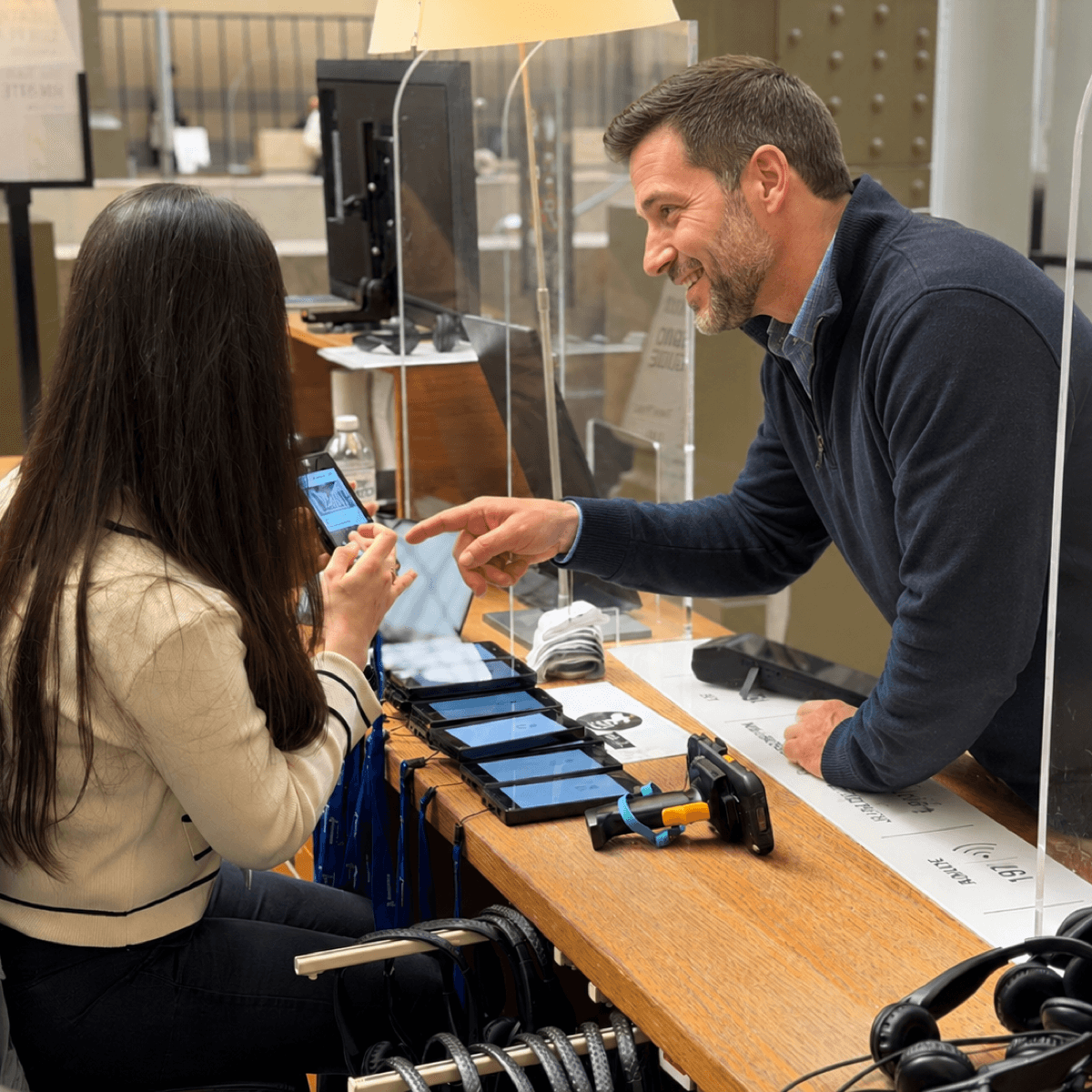
The handout interaction sets the tone for the whole visit. Train front-desk staff on a short, repeatable script: confirm the visitor wants the audio-described tour, hand the device with the lanyard already extended, place the visitor's hand on the play button so they feel its position, and confirm the headset connection. The whole handover should take under a minute. A long, improvised handover is more uncomfortable for the visitor than a brief, practised one.
Pairing with a sighted companion
Blind visitors often arrive with a sighted partner, friend, or guide. The audio guide should not separate them. Issue a standard-tour device to the companion and the audio-described device to the blind visitor, with the same stop numbers on both tracks. They can start, pause and finish together, then talk between stops about what each tour covered. This is also the friendliest configuration for first-time companions who do not yet know how to describe an artwork in real time.
Cane and guide-dog policy at the desk
Make sure the desk procedure does not assume the visitor has both hands free. A lanyard or wrist strap on the device is essential. Provide a small flat surface near the handout point so the visitor can rest a cane or set down a bag during the handover. Do not ask the visitor to surrender their cane or guide dog while the device is configured.
Return, charging, and spare-unit policy
Return is faster than handout. A staff member should take the device from the visitor's hand, confirm the headset is returned, and direct the visitor to the exit or next gallery. Charging racks and spare-unit allowances on the blind-accessible fleet should match the standard fleet: assume the same daily usage pattern and the same need for a working spare. Look2Innovate Smart Charger racks with simultaneous content sync work the same for accessibility variants as for the standard tour.
ADA, European Accessibility Act and WCAG references
A blind-accessible audio guide sits at the intersection of physical accessibility, content accessibility, and digital accessibility standards. The same fleet may have to clear all three in a single procurement. The references below are the ones procurement teams cite most often.
ADA Title III in the United States
Museums and cultural venues in the United States are places of public accommodation under ADA Title III, which requires effective communication for visitors with disabilities. For audio guides, the practical reading is that a blind visitor should be able to access the same interpretive content as a sighted visitor, by a route that does not depend on staff doing one-on-one description on demand. An audio-described track plus a tactile-operable device is the standard answer.
European Accessibility Act
The European Accessibility Act entered into force in June 2025 and covers self-service terminals, e-readers and consumer interactive devices. Museum audio guides are not always in the explicit scope, but procurement teams in EU venues are increasingly applying the same baseline: tactile operation, accessible feedback, headphone compatibility with hearing aids, and content variants for blind and deaf users. Treat the EAA as the floor for European procurement rather than an optional reference.
WCAG 2.2 for any companion screen content
If the museum publishes any companion content for the audio tour online, on a tablet, or via QR code, WCAG 2.2 applies to that content. Audio description, captions, contrast ratios, and keyboard or screen-reader operability are the criteria most relevant to a blind-audience companion. WCAG does not directly govern a hardware audio guide button, but it is the right reference for any web or app surface the museum builds around it.
Production workflow: plan, script, voice, test, launch
- Decide the scope upfront. Is the blind-accessible track the same set of stops as the standard tour, a subset, or a separate curated route? In Look2Innovate proposal planning, the same set of stops with the same numbers is the strongly recommended default; a separate route fragments the experience and the operations workflow.
- Brief the writer or AI drafting tool on description-first scripting, stop length, and the spatial cues at the start and end of each stop. A briefing template that names the five-beat structure and the orientation lines is faster than reviewing each script from scratch.
- Draft every stop. AI Content Studio can produce a first version per stop from object photography and the existing standard script.
- Edit with a curator and an accessibility reader. Where possible, the accessibility reader should be blind or work professionally with audio description. A single review with a real user catches issues that a sighted editor will miss.
- Record voice or generate narration. Use a single voice across the audio-described track to keep the visitor oriented. Speak slightly slower than the standard tour and avoid over-acting; description does its job when the visitor can listen without effort.
- Test in the gallery before public launch. Walk every stop with a blind tester. Note any place where the orientation prompt fails to match the actual room layout, any stop that runs long, and any place where description and interpretation got out of order. Adjust the script, not just the route map.
- Brief the front-desk and gallery staff on the handout script and the audio-described track. Add the track to the device's startup announcement so visitors know it exists without having to ask.
- Launch with the standard tour, not later. A blind-accessible track that ships months after the main launch quietly tells the audience that they were an afterthought. Plan production so both tracks open on the same day.
On a permanent gallery with thirty stops, the production effort beyond the standard tour is typically two to four weeks of writer time, one to two days of editorial review, a voice recording day, and a half-day of in-gallery testing. The hardware decisions are usually inside the fleet that the museum already has, provided braille or tactile labelling was specified at procurement. The single biggest mistake is treating the blind track as a separate project after the standard tour is in production; planning both together is faster and produces a better visitor experience.
FAQ
What is a museum audio guide for blind visitors?
A museum audio guide for blind visitors is a separate tour variant on the same device fleet as the standard tour. It uses a script that describes the visible parts of each object before interpreting them, includes spatial cues that orient the visitor in the room, and runs on a device with physical buttons, tactile keys and, where the audience warrants it, braille labelling. Stop numbers match the standard tour so a blind visitor and a sighted companion can move through the museum together.
How is audio description different from the standard tour script?
Audio description leads with a concrete description of the object: medium, scale, composition, colour, and the position of figures. Interpretation follows the description, not the other way round. The standard tour assumes the visitor is looking at the work and can skip straight to interpretation; the audio-described track cannot. The script is also typically 30–60 seconds longer per stop and uses body-relative spatial language for orientation.
What hardware features do blind visitors need on an audio guide?
Physical play, pause and volume buttons, tactile shapes or raised numbers on the keypad, optional braille keypad or overlay, spoken confirmation prompts that name the language and stop number, a lanyard so both hands stay free for a cane or guide dog, and hearing-loop-compatible audio output for visitors who also wear hearing aids. Specify these features at procurement so they ship with the fleet rather than as later accessories.
Do tablets work as audio guides for blind museum visitors?
Tablets are not the first choice for blind visitors. A flat touchscreen has no native tactile feedback, screen-reader gestures vary across platforms, and a tablet with braille overlays is heavier to hold for a long tour. Tablets serve deaf and hard-of-hearing visitors well through sign-language video and captions, but the dedicated audio guide with physical controls remains the better device for the blind audience. Many museums run both device types alongside each other.
What standards apply to blind-accessible museum audio guides?
In the United States, ADA Title III requires effective communication for visitors with disabilities, which museums implement through audio-described tours on tactile-operable devices. In the European Union, the European Accessibility Act entered into force in 2025 and procurement teams increasingly apply its baseline to museum audio guides. For any companion web or app content, WCAG 2.2 is the relevant reference for audio description, captions and screen-reader operability.
How long does it take to add an audio-described tour to an existing audio guide?
On a permanent gallery with around thirty stops, two to four weeks of writer time, one to two days of editorial review with a curator and ideally a blind reader, one voice recording day, and a half-day of in-gallery testing is a realistic effort. The hardware decisions are usually within the existing fleet if braille or tactile labelling was specified at procurement. The biggest cost is treating the blind track as a later project rather than planning it alongside the standard tour.
Should blind visitors use a different device or the same device as everyone else?
The same device, with the audio-described track selected at startup. A separate device line for blind visitors creates two fleets to charge, clean and brief, and signals that accessibility is a side project. A single fleet with multiple tour variants, including a standard tour, an audio-described tour and any simplified-language tracks, is the configuration most Look2Innovate venues choose. Specify the device's accessibility features once, then add tour variants as the content workflow grows.