Audio guide planning
AI voices for museum audio guides: when to use generative narration
When AI narration is the right choice for a museum audio guide, how to pick a voice, keep identity across languages, handle pronunciation and copyright, and publish approved audio through the CMS.
AI-generated narration is a good fit when a museum has an approved script, several visitor languages, or frequent script changes, and needs reviewable audio without booking a recording session for every update. It is less suitable when a named narrator, dramatic performance, or a distinctive human reading is central to the tour.
The decision should be made through the same approval process used for studio audio. Check house style, voice consistency across languages, pronunciation of proper nouns and period vocabulary, copyright and GDPR posture, editorial review workflow, and accessibility for blind and low-vision visitors before generated narration reaches visitor devices.
When AI narration is the right choice
Generative voice can remove the recording-studio bottleneck for tours that are written first and voiced second. The decision turns on the type of content, the number of visitor languages, and how often the script will change. Studio recording with a named voice talent still earns its place for signature programmes and dramatic readings, where the recognisable performance is part of the visitor experience.
Tours where AI narration usually pays off
Text-first tours where curators write before any audio is produced. Multilingual tours where five or more visitor languages would otherwise need separate studio bookings. Temporary exhibitions where the script may still change two weeks before opening. Permanent collections where a few exhibits need pronunciation fixes or factual updates each season. In AI Content Studio, regeneration of a single audio part is the normal workflow, so a corrected sentence does not require a full re-record.
Tours where studio recording still wins
Signature programmes built around a recognised narrator or a celebrity voice. Dramatic readings of letters, diaries or first-person testimony, where breath, pause and emotional inflection carry the meaning. Single-language tours with generous budget and time, where studio recording is no slower than AI review. Children's tours that depend on a specific performer the museum has worked with before.
Choosing a voice for the tour
A museum audio guide voice affects how visitors hear the institution. House style, register, age and mood should be set before generation starts and recorded so that future exhibitions stay consistent. Listen to candidate voices on the real script, in the gallery if possible, before approving any voice for production.
| Criterion | What to set | Why it matters |
|---|---|---|
| House style | Neutral or characterful, formal or conversational | Sets the tone the visitor associates with the institution |
| Apparent age and gender | Documented per tour variant | Affects perceived authority and warmth for the audience |
| Register | Academic, plain, or storytelling | Matches script complexity and average dwell time per stop |
| Mood and delivery | Calm, energetic, intimate, or instructional | Drives pace, pause length, and visitor concentration |
| Sample length | At least one full stop of about 90 seconds | Short demos hide pronunciation, pace and intonation issues |
Short voice demos are misleading. A voice that sounds confident in a 10-second sample can become tiring across a 12-stop tour. Choose voices on the actual script, at the planned pace, and review with at least one curator and one accessibility-aware editor.
Multilingual narration and voice identity
Museums with international audiences may need many language versions on a single tour. Generative voice can make those versions easier to produce, but the museum still has to decide whether the same voice identity should carry across every language or whether each language gets a native-speaker voice.
One voice identity across all languages
A consistent voice helps visitors recognise the institution between exhibitions and across digital touchpoints. Some multilingual voice systems can keep a related voice character across language versions, which may be useful when the museum wants one recognisable narrator. The trade-off is that some languages may sound less idiomatic than a local native voice would.
A native-speaker voice per language
Native-speaker selection per language produces the most natural delivery and the best handling of regional pronunciation. The cost is voice identity: a French visitor and a Japanese visitor hear two different storytellers, and the institution loses one of the small cues that bind a tour together. Museums that already publish in many languages, such as art-historical collections with strong international audiences, often accept this trade-off for the language-by-language gain in naturalness.
In Look2Innovate deployments, the practical compromise is single-voice identity for the main tour and native-speaker voices for the audio-description variant, where natural pacing carries more weight than brand consistency.
Pronunciation, names and period vocabulary
Museum scripts are dense with proper nouns: artists, donors, dynasties, towns, scientific genera, and titles in the source language. Generative voices handle common vocabulary well, and they get specialist terms wrong often enough that pronunciation review is non-negotiable.
- List every proper noun, period term, foreign word and unusual numeral in the script before generation. Treat the list as a glossary the editor will check on first listen.
- Mark how each item should sound, using either a phonetic spelling, an IPA hint, or a reference recording the system can match.
- Generate the first pass and listen at exhibit volume. Flag every term that came out wrong, ambiguous, or slurred.
- Regenerate only the affected audio parts using the AI Content Studio per-part timeline. Avoid full-tour regenerations, which waste effort and reset prior approvals.
- Re-listen to the corrected stops in sequence to catch new issues that the local fix introduced.
Dates and centuries deserve special attention. "1810s" reads cleanly in some voices and as "eighteen-ten-S" in others, and the same applies to dynastic ranges and reign dates. A short reading-style note in the script ("read centuries as words") removes most of these errors before they reach review.
Copyright, training data and GDPR posture
AI narration sits at the meeting point of three legal questions: who owns the script, what consent the voice carries, and where the audio is generated. Museum procurement should expect documented answers in writing before approving a vendor.
Script ownership and rights
The museum should hold copyright on its tour script, including any AI-translated versions of the original. AI Content Studio keeps scripts inside the Look2Guide CMS under the museum's project and does not relicense them to third parties.
Voice consent and likeness
Voices used for generation should carry documented consent from the original voice talent for the use the museum has in mind. Museums planning to clone a specific person's voice, for example a former narrator the institution wants to continue using, need a separate written agreement covering scope, duration and removal rights.
Training data and GDPR-safe generation
Procurement should confirm that scripts, source audio and generated narration are not used to train external models, and that audio is generated on infrastructure the vendor controls. In AI Content Studio, AI audio is generated on Look2Guide-controlled servers, scripts and generated audio are not sent to third parties for training, and customer content is never used to train AI models. For the wider European procurement context, see the European AI Act regulatory framework.
Editorial review before publishing
Generated audio should never publish without a human review pass. The point of generative voice is faster iteration, not skipped approval. A workable review routine sets aside editor time for each language and catches pronunciation, pace and emphasis issues before visitors hear them.
- Listen to every stop end to end at exhibit volume on representative hardware. Headphones are not a substitute for a noisy gallery.
- Mark pronunciation, pace, pause length and intonation issues against the script.
- Regenerate only the affected audio parts; keep approved parts untouched to preserve listening continuity.
- Approve each language separately and record the approving editor and date in the CMS.
- Publish approved narration directly to the exhibit language content used by visitor devices.
Year-stamped tours benefit from a documented re-review when the script is materially updated. Treat AI-generated audio the same way the museum treats studio recordings: stored, versioned, and traceable to a named editorial approval.
Accessibility for blind and low-vision visitors
Generative voice can make accessibility variants easier to produce. An audio-description tour variant that would otherwise require a separate studio session can be produced and reviewed alongside the standard tour, provided the script itself is still written and checked for blind and low-vision visitors.
Audio description should still be written as a separate script that describes visible information such as composition, colour, scale and position, with the same stop numbers as the standard tour. Generative voice helps the museum afford the variant; it does not write the script. For the full operational picture, see the planning notes in accessible audio guides for museums.
On pace and pause length, blind and low-vision visitors benefit from slightly longer pauses between observations, so the narrator does not arrive at the next sentence before the listener has finished forming the previous image. The audio-description variant should be tuned for pause, not just for content.
From CMS to visitor devices in minutes
Generated narration is useful only if approved audio can reach the device fleet without a separate handover process. In a Look2Innovate project, the CMS, the AI generation step and the device fleet are connected, so an approved correction can be queued for the next device sync rather than exported and copied by hand.
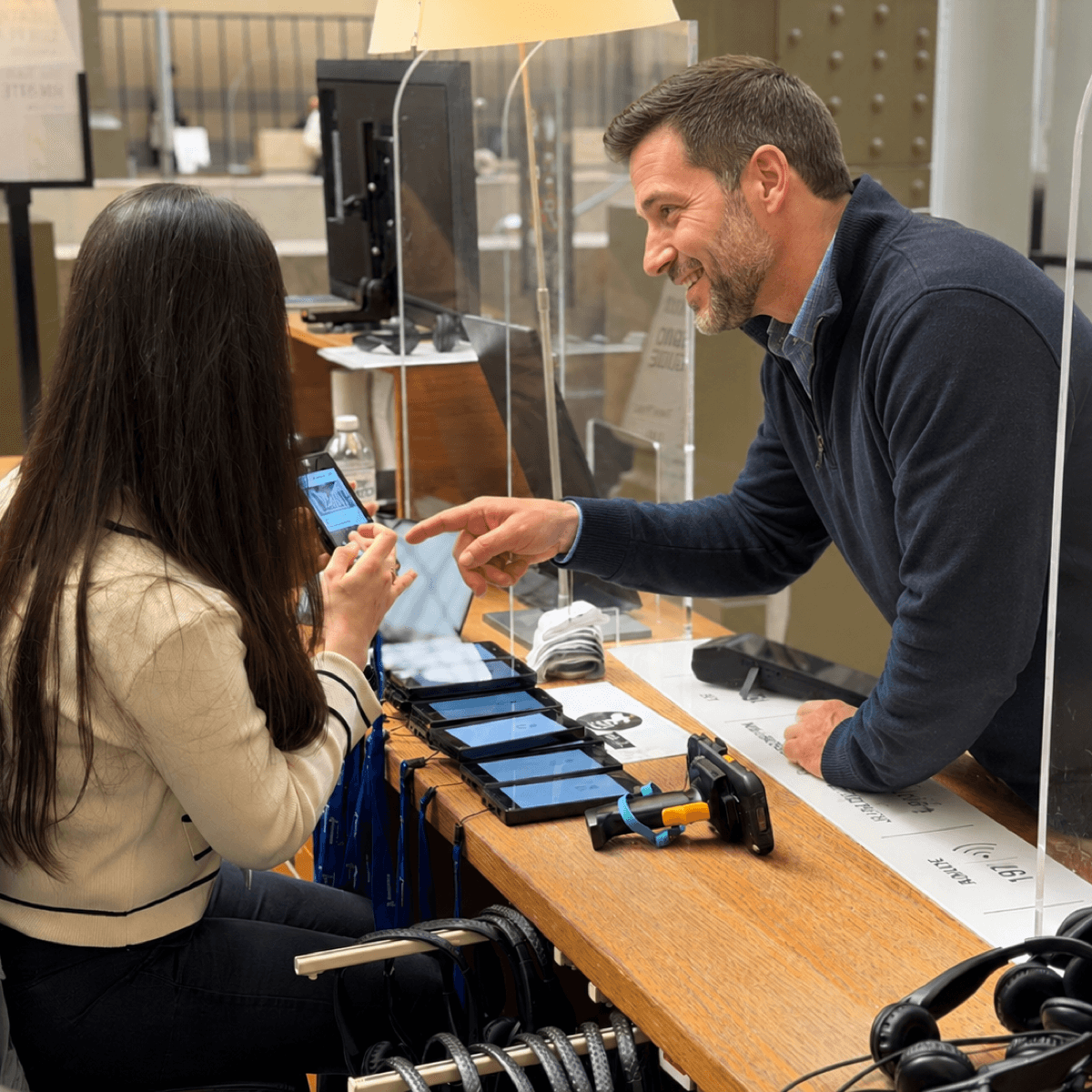
The mechanism is the Smart Charger. Each network-connected 20-slot unit downloads the latest approved content directly from the Look2Guide CMS over Ethernet while devices charge, with sync frequency configurable as often as every 10 minutes. Approved AI narration published in AI Content Studio is picked up on the next sync window, written to every docked audio guide, and ready when staff hand devices out. The same path delivers driver updates and carries visitor statistics back to the CMS.
- Editor approves a regenerated audio part inside AI Content Studio.
- Look2Guide CMS attaches the approved narration to the exhibit language content.
- Smart Chargers on Ethernet pull the change on the next sync window, configurable as often as every 10 minutes.
- Docked Trend, Style, Mini Trend or Mini Style devices receive the updated content while charging.
- Visitors hear the corrected narration at the next handout.
For venues without a permanent network connection, the same content can be staged through the Smart Charger's USB offline fallback, so a touring exhibition or a satellite site keeps the same review-to-device discipline without depending on local IT.
The Look2Guide AI Content Studio workflow
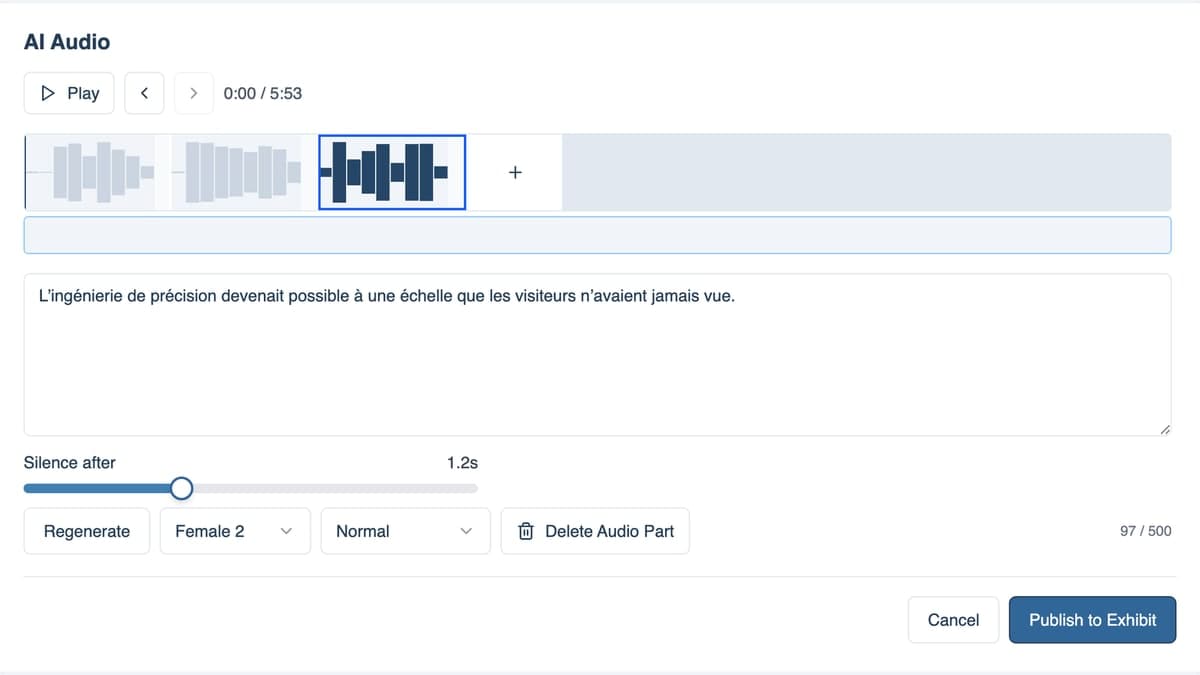
In a Look2Innovate project, AI narration is produced inside AI Content Studio. The workflow runs in the browser and keeps script, generated audio, review and publishing in one editable timeline per exhibit.
- Import or write the source script for each exhibit inside Look2Guide.
- Choose a voice, mood and delivery style; set silence between parts; add background sound if needed.
- Generate the narrated audio and preview the waveform before approving.
- Create additional visitor languages from the source transcript, either one language at a time or in a batch across exhibits that are ready.
- Review each language, regenerate the parts that need work, and approve when the result is ready for visitors.
- Publish approved narration to the exhibit language content. From there, the Smart Charger path described above delivers the audio to docked devices on the next sync window.
Where a museum already has source tours and needs visitor languages quickly, AI Audio Translate provides the focused translation workflow with background music extraction and unlimited regeneration, keeping the same review-before-publish discipline.
Look2Innovate also provides text-to-speech generation at no extra cost for its clients. That is useful beyond full tour narration: teams can create or update short service messages, safety notices, wayfinding prompts, temporary-exhibition instructions, closing-time announcements and other operational audio without booking a studio session.
FAQ
Is AI narration cheaper than studio recording for a museum audio guide?
It can be, especially when a tour needs several language versions or expects script changes after the initial recording. AI narration reduces studio bookings, voice-talent sessions and re-recording work for late edits. In a Look2Innovate project that uses AI Content Studio, the generation step sits inside the CMS workflow, so an extra language or a regenerated stop mainly adds review work rather than a separate recording session.
How quickly can corrected AI narration reach visitor devices?
Within one sync window of editorial approval. AI Content Studio publishes approved narration to the Look2Guide CMS, and Smart Chargers pull the change over Ethernet on a schedule configurable as often as every 10 minutes. A pronunciation fix approved before opening is on every docked Trend, Style, Mini Trend or Mini Style audio guide before the first visitor of the day.
Can a generative voice match the museum's previous narrator?
It can, if the museum holds documented consent from the original voice talent for that specific use. Without that consent, the museum should choose a different voice and brief its audience honestly. Voice cloning without the original talent's agreement creates legal and reputational risk that is not worth the saving.
Are AI-narrated audio guides acceptable under museum accessibility standards?
Yes, when they meet the same content and operational requirements as any other recorded tour. The narration must be clear, paced for the audience, and available as an audio-description variant for blind and low-vision visitors. AI generation affects how the audio is produced, not what accessibility content the museum should offer.
How does AI translation handle proper nouns and period vocabulary?
Most generative systems mishandle a few proper nouns, dynastic terms, and unusual numerals on the first pass. The reliable fix is a glossary the editor reviews on first listen, with per-part regeneration for the items that came out wrong. Full-tour regeneration is rarely needed and resets prior approvals.
Where is the AI generation done, and is customer content used to train models?
In AI Content Studio, audio is generated on Look2Guide-controlled servers. Scripts, source audio and generated narration are not sent to third parties for training, and customer content is never used to train AI models. Museums that need a documented data-handling answer for procurement can ask for it in writing as part of the project agreement.
Can the museum review every AI-generated tour before visitors hear it?
Yes, and it should. AI Content Studio keeps generated audio editable until the museum publishes it, with per-part regeneration and approval recorded in the CMS. Generated narration only reaches visitor devices after a named editor approves the language and the Smart Charger sync window has passed.