Planificación de audioguías
Costes de alquiler de audioguías para museos: cuándo alquilar o comprar
Compare los costes de alquilar o comprar audioguías para museos, incluidas las unidades de reserva, el mantenimiento, la demanda estacional, el soporte de contenido y la gestión de la flota a largo plazo.
El coste de alquilar audioguías para un museo depende del equipamiento, la duración del alquiler y los servicios acordados en el presupuesto. La decisión de alquilar o comprar también depende de quién mantendrá la flota operativa. Un alquiler con servicios incluidos puede reunir dispositivos, cargadores, unidades de reserva, mantenimiento y soporte técnico en un mismo acuerdo. Para un museo permanente, compárelo con el coste completo de propiedad durante el mismo periodo, incluidas las reparaciones, las unidades de reserva y la sustitución de baterías. Para una exposición temporal, establezca las fechas facturadas y las condiciones de devolución. Esta guía explica los argumentos a favor del alquiler y las partidas de coste necesarias para comparar propuestas.
¿Cuándo debe un museo alquilar o comprar audioguías?
El alquiler es adecuado para exposiciones temporales, pruebas piloto y demanda estacional. También puede encajar en un museo permanente que quiera que el proveedor mantenga una flota operativa acordada. Conviene considerar la compra cuando el museo pueda financiar los equipos y organizar el mantenimiento, las unidades de reserva y su futura sustitución. Compare las responsabilidades y los costes durante el periodo de uso previsto.
| Modelo | Cuándo considerarlo | Qué debe precisar el presupuesto |
|---|---|---|
| Alquiler a corto plazo | Exposiciones temporales, pruebas piloto o demanda estacional | Fechas facturadas, flota mínima, tarifas de prórroga y condiciones de devolución |
| Compra | Programa continuado con capacidad para gestionar una flota propia | Alcance del equipamiento, garantía, mantenimiento, unidades de reserva y planificación de sustituciones |
| Alquiler a largo plazo | Programa continuado que necesita un acuerdo de servicio definido | Cobertura del servicio, cambios de precio, condiciones de sustitución y finalización del acuerdo |
El alquiler a largo plazo puede cubrir servicios distintos de los de un alquiler corto prorrogado varias veces. Obtenga una propuesta separada para cada opción. La guía de planificación de audioguías para museos aborda las decisiones generales sobre dispositivos y operación.
¿Qué ofrece un alquiler de audioguías con servicios incluidos?
Las propuestas de alquiler con servicios incluidos de Look2Innovate reúnen el equipamiento y el servicio continuado en un mismo acuerdo. El alcance se define para cada proyecto. Las razones prácticas para considerar este modelo se refieren a los dispositivos operativos, el apoyo al personal y los costes que surgen después de la apertura.
Mantener una flota operativa disponible
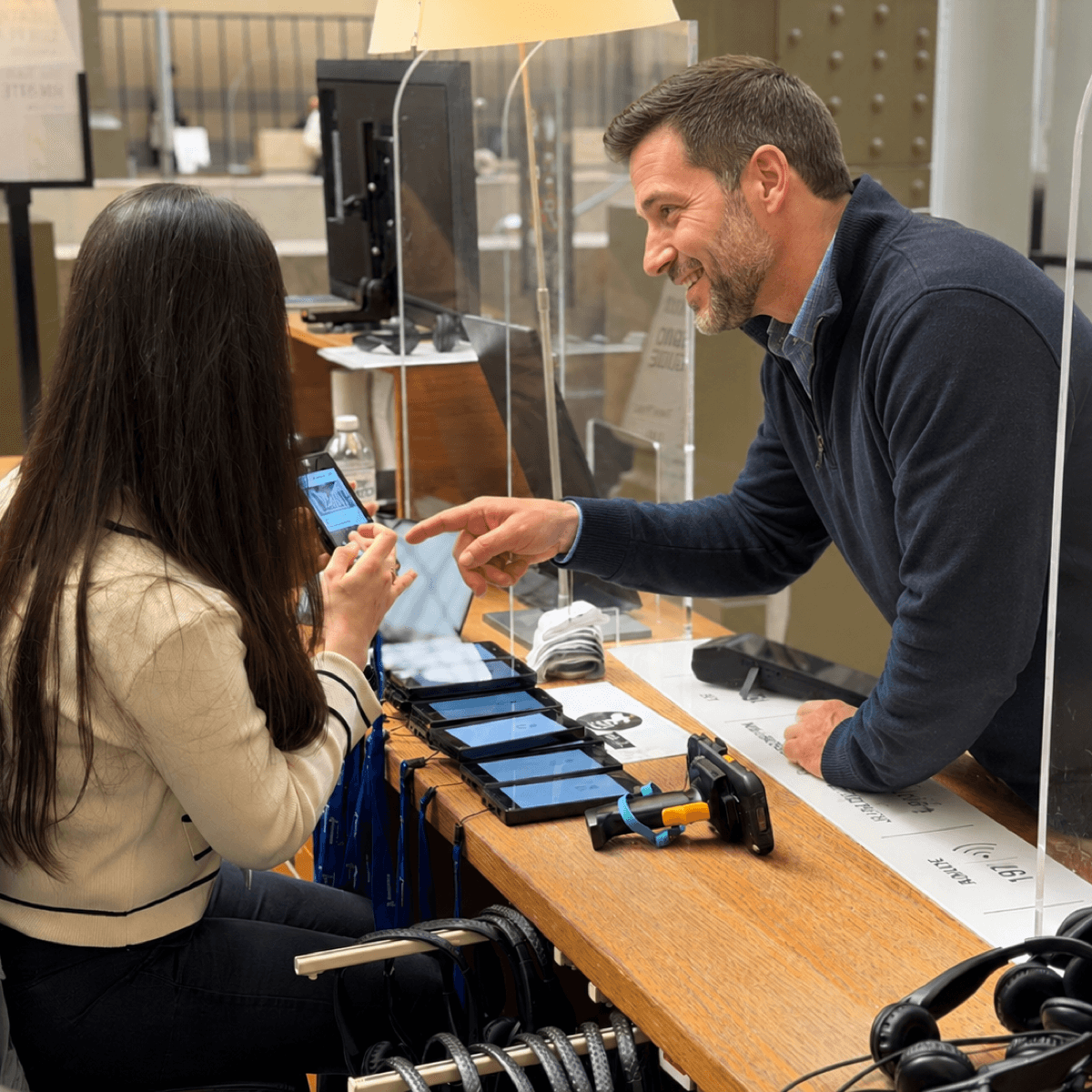
Las unidades de reserva permiten al personal sustituir de inmediato una audioguía averiada mientras se envía a reparar. Las propuestas de alquiler de Look2Innovate incluyen un conjunto de dispositivos de reserva para este fin, con las responsabilidades de mantenimiento y sustitución definidas en el acuerdo. Compare el número de unidades operativas disponibles para visitantes, las unidades de reserva y la logística de reparación. Un presupuesto de compra necesita unas reservas equivalentes para ofrecer la misma cobertura.
Planificar el gasto en equipos durante el contrato
El alquiler distribuye el gasto en equipamiento durante el periodo de facturación acordado. Incluir el mantenimiento y el soporte puede facilitar la planificación de estos costes. Compruebe los pagos anticipados, los depósitos y las condiciones de revisión de precios. Para la compra, incluya la financiación cuando corresponda, la cobertura de garantía ampliada, las reparaciones y la futura sustitución de baterías. El precio inicial del dispositivo excluye estos costes.
Adaptar la flota a la demanda estacional
Un museo puede necesitar cantidades distintas para el periodo de máxima afluencia en verano, una exposición temporal y un invierno más tranquilo. El modelo de alquiler con servicios incluidos de Look2Innovate permite tratar las necesidades estacionales de la flota en la propuesta. Acuerde cómo pueden cambiar las cantidades, el preaviso necesario y cómo se facturan los periodos de inactividad y el almacenamiento. El contrato debe indicar cuándo una reducción de la flota operativa cambia la factura.
Recibir ayuda con la preparación y el software
Acuerde quién prepara las audioguías, carga el audio suministrado, forma al personal y comprueba la instalación antes de la apertura. Look2Innovate puede preparar el contenido antes del envío o ayudar al museo a programar sus audioguías mediante Look2Guide. Para recorridos con activación o sincronización, incluya la planificación conjunta de la instalación y una prueba del recorrido del visitante. Confirme el contacto y el horario de soporte durante la operación.
Revisar los equipos cuando cambian las necesidades
Un alquiler continuado ofrece al museo una oportunidad para revisar la flota con su proveedor cuando cambien las necesidades del recorrido o del equipamiento. Acuerde en la propuesta cualquier renovación de dispositivos, comprobación de compatibilidad y transferencia de contenido. Los nuevos modelos y las mejoras necesitan condiciones definidas; un acuerdo de alquiler, por sí solo, no promete acceso automático a todos los productos futuros.
¿Cuánto cuesta alquilar audioguías para un museo?
Solicite un presupuesto del proyecto según el modelo, la cantidad, la duración y el alcance del servicio. Las propuestas de alquiler de Look2Innovate especifican los equipos y los servicios incluidos, con partidas separadas para trabajos del proyecto o funciones opcionales de software. Defina el paquete operativo completo antes de comparar tarifas.
- Especifique la flota operativa y las unidades de reserva, con cargadores, auriculares y cualquier equipo de activación o sincronización.
- Indique las fechas de entrega, pruebas, apertura y devolución. Pregunte por los periodos mínimos de facturación y las prórrogas.
- Identifique las tareas de preparación de contenido, instalación, formación y soporte, y cuáles se incluyen en el alquiler.
- Confirme el acceso al software y los posibles cargos separados por estadísticas detalladas o actualizaciones remotas.
- Solicite los impuestos, el transporte, los costes de envío para reparación, los depósitos y los cargos por pérdida o daños como partidas separadas.
La entrega, las pruebas previas a la apertura y el embalaje tras el cierre pueden afectar al periodo facturado. Para un programa continuado, solicite una propuesta a largo plazo con sus propias condiciones de servicio y renovación.
Compare alquiler y compra durante el mismo periodo
Reúna ambos presupuestos en una hoja de cálculo. Use la misma flota, idiomas, activación, periodo de apertura y requisitos de servicio. Una flota propia sin cobertura de sustitución ofrece un servicio distinto al de un alquiler que proporciona unidades de sustitución. Añada la cobertura que falta o registre expresamente la diferencia operativa.
La guía de la Comisión Europea sobre el cálculo de costes del ciclo de vida incluye la adquisición, los costes de funcionamiento y los costes al final de la vida útil. Estas categorías ofrecen un punto de partida útil para la comparación.
| Partida de coste | Propuesta de alquiler | Propuesta de compra |
|---|---|---|
| Dispositivos y cargadores | Tarifa de alquiler y posibles gastos de puesta en marcha | Precio de compra de la flota completa y la capacidad de carga |
| Contenido e idiomas | Herramientas incluidas y trabajos encargados por separado | Costes de producción, licencias y actualizaciones |
| Mantenimiento y sustituciones | Cobertura incluida, exclusiones y cargos | Cobertura de garantía, contrato de servicio, reparaciones, unidades de reserva y tiempo sin unidades operativas |
| Costes de financiación y flujo de caja | Gastos de financiación, si los hay; registre por separado los pagos anticipados y los depósitos reembolsables | Comisiones e intereses de financiación, si corresponden; registre por separado el pago inicial |
| Sustitución de baterías y renovación de equipos | Alcance acordado de mantenimiento y renovación, con exclusiones | Sustitución de baterías y renovación de equipos |
| Software y conectividad | Acceso incluido y posibles cargos adicionales | Licencias, renovaciones y conectividad para la gestión |
| Personal del museo | Entrega, devolución, limpieza y soporte local | Las mismas tareas y el mantenimiento que se gestione internamente |
| Logística y final del proyecto | Entrega, transporte de devolución y estado de devolución acordado | Entrega, almacenamiento, reutilización o eliminación, descontando un valor de reventa realista |
Use un precio de compra presupuestado. Desglóselo en dispositivos, cargadores y otros equipos para que las omisiones queden visibles. La guía de equipos de audioguía para museos explica el alcance del equipamiento.
Mida el coste por visitante que usa una audioguía
Coste por uso de audioguía = coste total del programa ÷ préstamos completados de audioguías durante el mismo periodo. Cuente un préstamo a un visitante como un uso, aunque reproduzca varias pistas. El total de visitantes del museo y las reproducciones de pistas son denominadores distintos.
Estime la demanda con horarios de apertura, picos de llegada, duración del recorrido y uso previsto de audioguías coherentes entre las opciones. El número diario de visitantes no determina por sí solo los dispositivos necesarios, ya que las unidades devueltas pueden entregarse de nuevo. Compruebe el presupuesto con un menor uso, una duración mayor y dispositivos adicionales para los periodos de máxima demanda.
Mantenga registros comparables
Use los registros de entrega para contar los préstamos completados y excluya de forma coherente las cancelaciones y las pruebas del personal. Las estadísticas de reproducción pueden ayudar a explicar el uso del contenido, pero reproducir una pista no supone un visitante adicional. Look2Guide CMS permite gestionar el contenido; las estadísticas detalladas y las actualizaciones remotas dependen del paquete seleccionado. Acuerde el alcance de los informes y las definiciones de las métricas antes de usar un informe para calcular costes.
¿Qué condiciones pueden cambiar la comparación?
Cobertura de sustitución
Distinga entre averías en condiciones normales de funcionamiento, daños accidentales, uso indebido y pérdida de dispositivos. Las propuestas de alquiler de Look2Innovate ofrecen una cobertura de reparación acordada y cargos reducidos de sustitución para determinados casos fuera de esa cobertura. Confirme las exclusiones, el transporte de devolución para reparación y el proceso para reponer las unidades de reserva. Registre un canal de contacto, el horario de soporte y las condiciones de respuesta.
Contenido y accesibilidad
El acceso al CMS y las herramientas de actualización no incluyen necesariamente la escritura de guiones, la traducción humana, la grabación en estudio ni las versiones accesibles. Enumere cada entrega y su responsable. El acceso al CMS está disponible tanto con la compra como con el alquiler, por lo que debe comparar un alcance de software equivalente. La guía de guiones de audioguía para museos ayuda a definir el encargo de producción. Conserve archivos fuente utilizables y acuerde cómo se exportará el contenido al terminar el acuerdo.
Operación diaria
El personal sigue entregando, recogiendo y limpiando las audioguías alquiladas. Incluya ese tiempo en ambos presupuestos. El equipamiento afecta a la carga de trabajo: Trend guarda el recorrido en el dispositivo y ofrece una larga autonomía de batería, lo que puede reducir la frecuencia de carga. El Smart Charger permite cargar, actualizar contenidos y transferir estadísticas de audioguías compatibles. Planifique la capacidad de carga según las necesidades de uso, almacenamiento e informes, y confirme qué servicios conectados están incluidos.
Prórroga y finalización
Registre el plazo de preaviso, la tarifa de prórroga, las cantidades mínimas y el procedimiento para añadir o devolver unidades. En una exposición itinerante, pregunte si trasladar la flota a otra sede cambia los gastos de transporte, soporte o instalación. En caso de compra, presupueste el almacenamiento entre usos y la siguiente renovación del equipamiento.
¿Qué debe enviar un museo al solicitar un presupuesto?
Envíe el mismo encargo a cada proveedor para que la comparación refleje el mismo requisito operativo. Siga esta secuencia antes de solicitar propuestas de alquiler y compra.
- Indique las fechas de apertura, entrega, pruebas y devolución, así como las prórrogas previstas.
- Especifique la flota y las unidades de reserva, y explique después la demanda máxima y la duración prevista del recorrido.
- Enumere los idiomas, formatos accesibles, auriculares, activadores, cargadores y entregas de contenido.
- Defina quién se encarga de la instalación, formación, limpieza, actualizaciones, mantenimiento y unidades de sustitución.
- Solicite precios desglosados con impuestos, transporte, exclusiones, plazos de preaviso y condiciones de revisión de precios.
- Compare ambas propuestas durante el mismo periodo y calcule el coste total con más de un nivel de uso.
Para un programa continuado, solicite un presupuesto de alquiler a largo plazo junto con el de compra. Registre los costes y las responsabilidades que cambian entre las propuestas y elija el acuerdo que el museo pueda financiar y operar.
FAQ
¿Qué determina el coste de alquilar audioguías para un museo?
El modelo de equipo, la flota operativa, la duración del alquiler y el servicio incluido determinan el presupuesto. Especifique los cargadores, las unidades de reserva, los auriculares, la preparación de contenido, la instalación, el software, el transporte y la cobertura de reparación para que la propuesta cubra todas las necesidades.
¿Comprar siempre resulta más barato después de cierto número de meses?
No existe un plazo universal para alcanzar el punto de equilibrio. Depende del presupuesto de compra, la tarifa de alquiler, la cobertura del servicio, la carga de trabajo del personal, las reparaciones y la vida útil. Compare el mismo periodo y alcance de servicio, usando un presupuesto separado para el alquiler a largo plazo.
¿El alquiler de audioguías incluye la producción de contenido?
La propuesta puede incluir herramientas de contenido y ayuda para cargar los archivos suministrados. La escritura de guiones, la traducción, la grabación y las versiones accesibles requieren un encargo de producción explícito. Confirme las entregas, el trabajo de revisión y la entrega de archivos fuente.
¿Las audioguías alquiladas dañadas o perdidas se sustituyen sin coste?
El contrato determina el coste. Las averías en condiciones normales de funcionamiento, los daños accidentales, el uso indebido y la pérdida pueden tener condiciones distintas. Las propuestas de Look2Innovate especifican la cobertura de reparación y cargos reducidos de sustitución para las exclusiones acordadas. Confirme los cargos, el transporte y el procedimiento de sustitución.
¿Puede un museo alquilar audioguías adicionales para periodos de mayor afluencia?
Las cantidades estacionales pueden acordarse en una propuesta de alquiler. Especifique el plazo de preaviso, la disponibilidad, las reglas de facturación y las fechas de devolución. Confirme la compatibilidad de los dispositivos, el contenido cargado y la capacidad de carga para que las audioguías adicionales encajen en la rutina del personal.
¿Debe el presupuesto usar el total de visitantes o los usuarios de audioguías?
Use los préstamos completados de audioguías para calcular el coste por uso. Al estimar la proporción de uso, considere por separado el total de visitantes que podrían usar una audioguía. Dividir entre todos los visitantes del museo infravalora el coste por visitante que usa una audioguía cuando solo una parte la toma prestada.