Audio guide planning
Audio guides vs museum apps: which should a museum choose?
How to choose between dedicated audio guides, native museum apps, and web-based tours: uptake, reliability, accessibility, cost structure, and when a hybrid deployment makes sense.

A museum choosing between dedicated audio guides and a visitor app is deciding who carries the reliability risk. A correctly sized and managed fleet lets the museum issue a charged, loaded device with headphones; an app depends on the visitor’s phone, battery, headphones, data access, and willingness to open it. Apps suit direct pre-visit access and routes without a practical handout and return point. Dedicated devices are safer when the museum must provide interpretation consistently, support visitors without suitable phones, or operate with weak connectivity. RF triggering also works outdoors. Kiosks, ticketing integration, and personalised visitor reports can extend a device-based visit after return. Many museums combine these channels.
This guide is for museum directors, operations managers, and procurement teams weighing an app project against a device fleet, or deciding how to split a tour between the two. It covers what each option does well, real uptake behaviour, cost structure, and a decision checklist.
What the options are
The choice is usually presented as two options, but there are three, and they behave differently in daily operation. Tablets are a fourth option covered separately in tablet audio guides vs dedicated audio players.
Dedicated audio guides
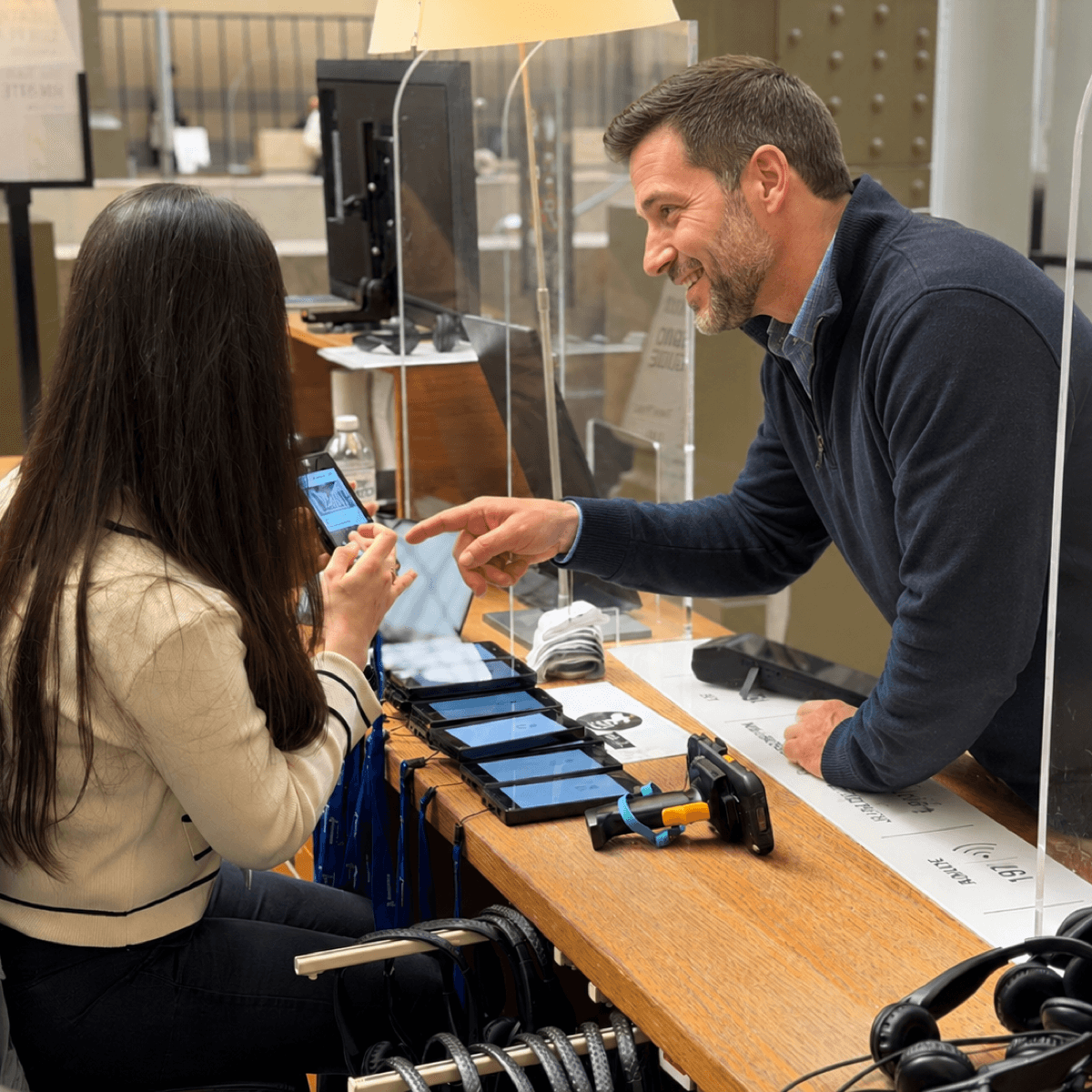
Purpose-built handheld players owned or rented by the museum and lent to visitors at a handout desk. Content is stored locally on the device, controls are physical, and the museum controls charging, cleaning, and content updates. Hardware such as Trend is designed for continuous daily lending, with long battery reserve between uses and support for up to 32 languages on one device.
Native museum apps
Applications the visitor downloads from an app store onto their own phone. A native app can use the phone's GPS, camera, and notifications, and it stays on the visitor's phone after the visit. It also requires a download, storage space, a compatible operating system version, and ongoing development work to keep pace with iOS and Android releases.
Web-based tours
Browser-based guides opened by scanning a QR code, with no store download. Web tours remove the download barrier and work across operating systems, which makes them the more practical app format for a single visit. They still depend on the visitor's phone battery, headphones, and a working connection for streamed content, and browser support for offline caching is less dependable than a native app's local storage.
Where an app can work well
Outdoor sites and city-wide routes
Being outdoors does not by itself favour an app. Dedicated audio guides can use battery-powered RF triggers outdoors while keeping all content on the device, which works well when a sculpture park, heritage site, or open-air museum has a controlled entrance and exit for handout and return. An app with GPS and a map becomes practical when a city route is too long or dispersed to recover hardware, or has no staffed return point. The decision depends on fleet recovery and wayfinding needs, not simply whether the route is indoors or outdoors. Trigger choices are compared in museum audio guide triggering modes.
Pre-visit access and post-visit engagement
An app reaches visitors before they arrive and can remain on their phone after they leave. This is useful for visit planning, membership access, event notifications, and content that the museum wants visitors to open directly on their phone. It is not the only way to continue the relationship. At the exit, visitors can return an audio guide through an Interactive Kiosk that starts a quiz or survey and, with consent, collects an email address. Personalized Visitor Reports can then send what the visitor saw, what they missed, and links to the museum shop or future exhibitions. Ticketing integration can provide the same follow-up route through contact details supplied at purchase. A membership or repeat-visit strategy therefore does not by itself require an app.
Sites that cannot staff a handout desk
A device fleet needs a daily operation: handout, return, charging, cleaning, and content sync. Small sites, unstaffed heritage locations, and venues without a secure charging room may not be able to run that workflow. A QR-code web tour removes the handout and return desk, although the museum still needs clear signage, content maintenance, analytics, privacy controls, and a way to help visitors who cannot open the tour. For sites that could not otherwise operate a fleet, lower uptake may be an acceptable trade-off.
A low-budget web pilot can answer the question
For a small museum with internal web capacity, a mobile web tour can be a sensible first test. Museum practitioners discussing low-cost tour platforms on r/MuseumPros recommended starting with a simple website and QR codes, then upgrading only after observing visitor response. A useful pilot covers one gallery or temporary exhibition and measures passers-by, scans, starts, completed tracks, support requests, staff time, and accessibility failures. This tests demand without committing immediately to a native app or full device fleet.
Where dedicated audio guides are the safer choice
Guaranteeing a guide to every visitor
A museum that promises interpretation to every visitor cannot assume every visitor has a suitable phone. Some visitors arrive with low battery, no headphones, no local data plan, an old operating system, or no smartphone at all. International visitors may avoid roaming data entirely. A fleet sized for peak demand, with charged spares and a working handout process, lets the museum remove these visitor-side failure points. Fleet sizing for that promise is covered in how many audio guides does a museum need.
A standardised experience across every visitor
A dedicated fleet gives every visitor the same controls, trigger behaviour, audio output, and content. Apps and web tours inherit differences between phones: screen sizes, operating-system versions, browser settings, permissions, audio connections, and accessibility configurations. A responsive interface reduces some variation, but no museum can test every current and older device that enters the building. The result is an inconsistent experience and more support work for front-of-house staff.
Audience age, school groups, and families
Audience mix can change the answer. In a June 2026 r/MuseumPros discussion of BYOD and dedicated devices, contributors noted that children often lack their own phones, family visits can be hard on consumer electronics, and some older visitors prefer a simple loan device to installing and learning an unfamiliar app. These are practitioner observations, not universal rates. Museums should segment a pilot by school groups, families, age, language, and accessibility needs instead of applying one uptake forecast to the whole audience.
Phone battery and headphones
Many visitors do not want a tour to use the phone battery they still need for tickets, maps, photographs, messages, and the journey home. Streaming audio, keeping a screen active, and using Bluetooth or mobile data add to that concern. Headphones create a second barrier: visitors often do not bring them, may not want to pair their own wireless set, and cannot reasonably play narration through a phone speaker in a shared gallery. A charged dedicated player supplied with cleaned headphones removes both decisions at handout.
Download friction and real uptake
A native app adds several steps before listening begins: find the store listing, wait for the download, provide storage space, grant permissions, and open the correct tour. A QR-code web tour removes the app-store step but still depends on signage, connectivity, browser compatibility, battery, headphones, and willingness to scan. Each step can lose users, but neither format should be assigned a universal conversion rate; the museum must measure its own audience. In Look2Innovate deployments measured through Visitor Statistics, average listen-through reached 98% in one dedicated-device reporting period. Listen-through is the mean percentage of each started audio track heard, calculated across plays with a recorded listening percentage. The client-specific sample size and reporting period are not published, so 98% is a deployment example, not a benchmark. It does not measure the share of all museum visitors who took a guide. Uptake asks who starts; listen-through asks how much those users hear after starting.
Test the funnel in person. During a defined observation window, stand near the QR sign and count how many visitors pass it and how many visibly scan it. For the same window, use tour analytics to count guide opens, audio starts, and completed tracks. Join the manual and digital counts only when their time window and location match. If the analytics cannot separate those stages, report only the stages that can be measured instead of presenting an estimated full funnel.
Format is not the only influence on uptake. Museum professionals discussing QR codes reported better results when frontline staff mentioned the codes and explained how to use them, while also warning that this promotion creates staff work. They also recommended an alternative for visitors who cannot or will not use the technology. See the r/MuseumPros QR-code discussion. Report signage, staff promotion, support time, and alternative provision alongside scan and listening figures; otherwise two museums are not measuring the same deployment.
Connectivity and offline reliability
Dedicated players store all content locally and need no network during the visit. Historic buildings with thick masonry, basement galleries, and temporary venues often have patchy Wi-Fi and mobile coverage, and a streamed web tour fails exactly where the visitor density is highest. A native app can pre-download content, but only if the visitor completes that download before entering the dead zone, which returns to the uptake problem.
Accessibility obligations
Some blind and low-vision visitors benefit from physical buttons, tactile orientation, and an optional braille keypad; others prefer the screen reader and accessibility settings they already use on their own phone. A visitor-phone tour therefore needs well-built, WCAG-conformant markup. A dedicated fleet can also be issued with induction neckloops or other hearing support, while a phone-only plan depends on each visitor bringing a compatible device and audio connection. The museum should test both channels with disabled visitors and keep loan equipment for anyone without a suitable phone. The full picture is covered in accessible audio guides for museums.
Cost structure: an app is not the free option
Apps look cheaper because there is no hardware line in the budget. Their costs sit elsewhere: development, maintenance against iOS and Android changes, app-store administration, hosting, analytics, privacy work, and visitor support. Core audio production is shared across channels, but app-specific maps, interfaces, video, notifications, and offline packages add work that a simple audio player does not require.
| Cost item | Dedicated device fleet | Native app | Web-based tour |
|---|---|---|---|
| Up-front | Device purchase or rental setup, charging racks | App development and store setup | Web development, QR signage |
| Recurring | Maintenance, replacement units, headphone hygiene | OS-version maintenance, store compliance, hosting | Hosting, browser testing |
| Content production | Scripts, recording and translation; optional trigger setup | Core audio plus interface, maps, media and offline packaging | Core audio plus responsive interface, QR journey and browser testing |
| Staff time | Daily handout, return, charging, cleaning | Visitor support, release management and store administration | Signage, visitor support, browser testing and analytics review |
| Scales with | Peak simultaneous visitors | Mainly product scope, plus hosting and support volume | Mainly product scope, plus hosting and support volume |
The comparison that matters is cost per visitor actually guided, not cost per year. An app with a fixed annual cost and low uptake can cost more per listening visitor than a rented device fleet with high uptake. In Look2Innovate proposal planning, this per-guided-visitor comparison over three to five years is the figure that most often changes a procurement decision. Rental, purchase, and long-term rental trade-offs for the device side are covered in the museum audio guide planning guide.
Running an app and a device fleet together
The strongest deployments treat apps, device fleets, kiosks, and visitor reports as channels for one content plan. One possible split uses the app or web tour for pre-visit planning, dedicated devices for the in-gallery tour, and an exit kiosk or ticketing integration for personalised post-visit reports. Outdoor stops can run on either the app or RF-triggered dedicated devices, depending on wayfinding and whether the museum can recover the fleet. A web tour can also act as overflow when the fleet is fully lent out.
The practical requirement is shared structure. If the app and the devices use the same stop numbering and the same content source, editors update a stop once and every channel stays consistent. With Look2Guide CMS, content and languages are managed centrally and synchronised to hardware fleets automatically through docks such as the Smart Charger. Reusing that content in an app requires a defined integration or export workflow; it should be confirmed during procurement, not assumed.
Decision checklist
- Define the promise: must every visitor be able to receive a guide, or is the tour an optional extra for those who want it?
- Test connectivity in the actual galleries, including basements and dense-masonry rooms, before assuming a streamed tour will work.
- Estimate uptake honestly: assume a minority of visitors will download a native app mid-visit, and model the web-tour conversion from QR signage.
- Cost both options over three to five years, including app maintenance and content production, and compare cost per guided visitor rather than cost per year.
- Check accessibility obligations: tactile controls, hearing-loop output, audio description, and provision for visitors without a suitable phone.
- Segment the audience forecast: school groups, families with children, older visitors, international visitors, languages, and disabled visitors may choose channels differently.
- Test the phone assumptions: representative old and new devices, operating systems, browsers, battery use, audio connections, and whether visitors actually arrive with headphones.
- Run a limited pilot and record the full funnel: opportunities to use, scans or handouts, starts, completed tracks, support requests, and staff time.
- Ask vendors for data from institutions with comparable size, subject, audience, and operating model, plus the exact definition and denominator of every metric.
- Decide the hybrid split: which parts of the visitor journey belong on the visitor's phone, and which belong on a managed device.
FAQ
Should a museum build an app instead of buying audio guides?
Only if the museum needs functions tied to the visitor's phone, such as direct pre-visit access, notifications, a persistent mobile presence, or GPS mapping on a dispersed route with no practical device return point. Outdoor triggering alone does not require an app because dedicated audio guides can use RF triggers outdoors. If consistent access for every visitor matters, compare the app with a correctly sized fleet or plan both channels.
What share of visitors actually use a museum app?
Uptake varies widely, but museums that have run native tour apps commonly find that only a small share of visitors download them mid-visit, because the store download, Wi-Fi wait, and storage space form a real barrier. QR-code web tours convert better because there is no store download. Dedicated devices offered at the desk reach the largest share of visitors, including those without a suitable phone.
Is a web-based tour better than a native museum app?
For a single visit, a web tour is often simpler because it opens from a QR code and avoids an app-store download. A native app becomes more useful when the museum needs a reliable offline package, push notifications, background location features, or a persistent installed presence. Both still require device testing, accessibility work, analytics, privacy controls, and visitor support.
Can a museum run an app and audio guides at the same time?
Yes. An app can handle direct pre-visit access and dispersed routes while dedicated devices deliver the in-gallery or RF-triggered outdoor tour. Post-visit engagement can continue through the app, an exit kiosk, ticketing integration, or personalised visitor reports. Shared stop IDs help, but the museum must confirm how content moves between the app platform and device CMS.
Are visitor phones acceptable for accessibility compliance?
A phone-only plan can leave gaps for visitors without a suitable device, battery, headphones, data access, or compatible hearing connection. Some disabled visitors prefer their own phone and assistive settings; others need tactile loan devices, induction neckloops, or staff support. Test the app with disabled visitors and keep suitable loan equipment available.
Why do dedicated audio guides show higher listen-through rates than apps?
A dedicated device has one purpose, so messages, photography, battery concerns, and other phone use do not interrupt the tour. In one Look2Innovate reporting period, mean listen-through reached 98% across plays with a recorded listening percentage. The sample size and period are client-specific and unpublished, so this is a deployment example, not a general benchmark or a measure of overall guide uptake.